Operating in Eco mode
Press the M button to select the economic mode.
By selecting this mode, the temperature of the comfort mode will be reduced by 3.5 ℃
Operation in frost protection mode
By selecting this mode by pressing the M button, the temperature is maintained at 7℃.
Operating in program mode P1/P2/P3
Programs are preregistered to give you ease of use and achieve energy savings.
Press the M button to select one of three recorded programs P1, P2 or P3
Below the defined programming
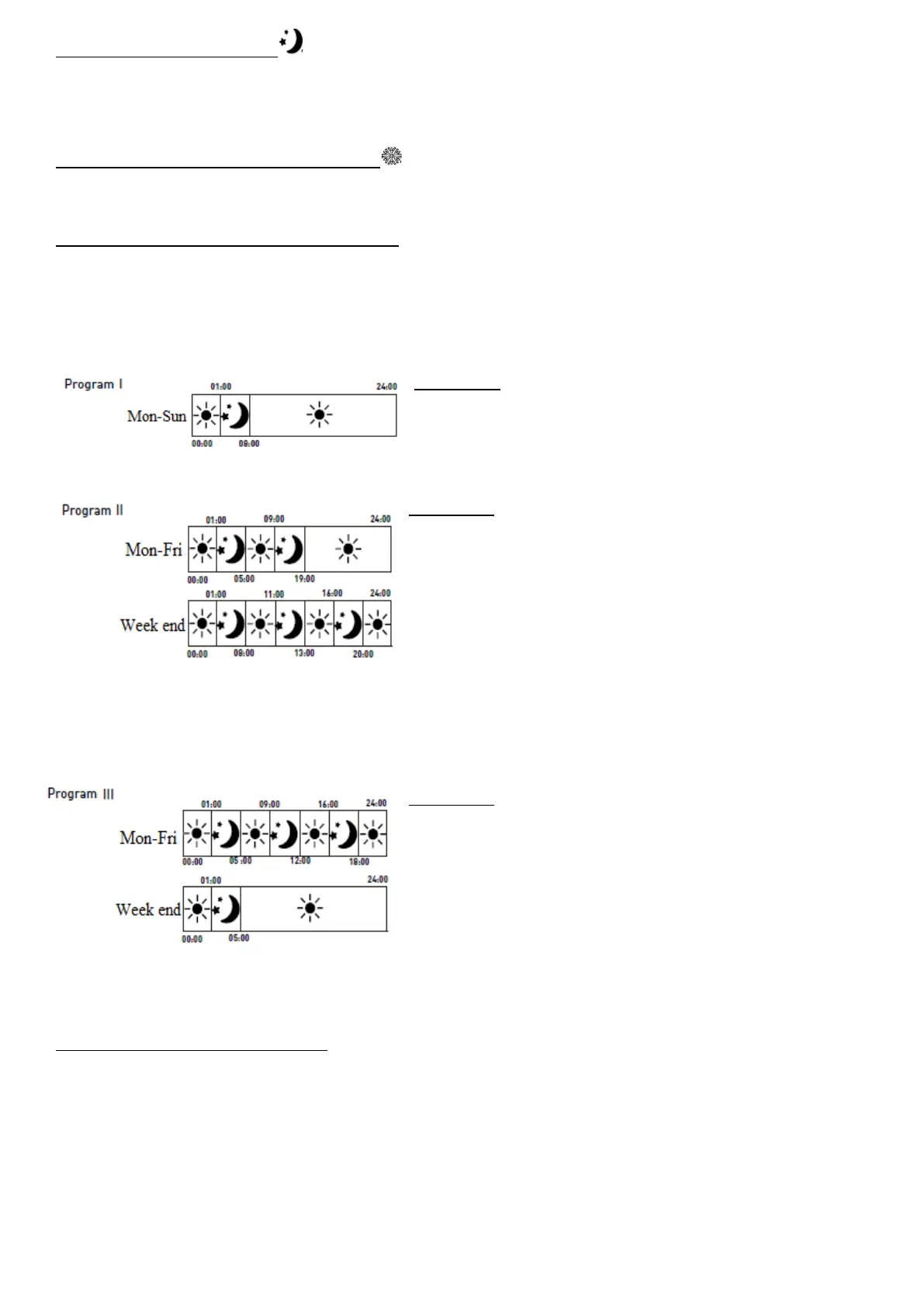
Mode P1 =
▪ From Monday to Sunday :
Comfort temperature from 8am to 1am &
Eco temperature from 1am to 8am
Mode P2 =
▪ From Monday to Friday :
Comfort temperature from 5am to 9am – from 7pm
to 1am &
Eco temperature from 1am to 5am - from 9am to
7pm
▪ Week-end :
Comfort temperature from 8am to 11am - from 1pm
to 4pm – from 8pm to 1am &
Eco temperature from 1am to 8am - from 11am to
1pm – from 4pm to 8pm
Mode P3 =
▪ From Monday to Friday :
Comfort temperature from 5am to 9am – from 12pm
to 4pm – from 6pm to 1am &
Eco temperature from 1am to 5am - from 9am to
12pm – from 4pm to 6pm.
▪ Week-end :
Comfort temperature from 5am to 1am &
Eco temperature from 1am to 5am
Operating in Program P mode
Press the M button to select Program mode P (pilot wire) and then program the external
controller. When the external controller is programmed, the display shows:
GB-10


 To Next Page