EasyManua.ls Logo

THOMSON THVC2312WR - User Manual

THOMSON THVC2312WR
128 pages
Go to English
Print Icon
To Next Page IconTo Next Page
Loading...
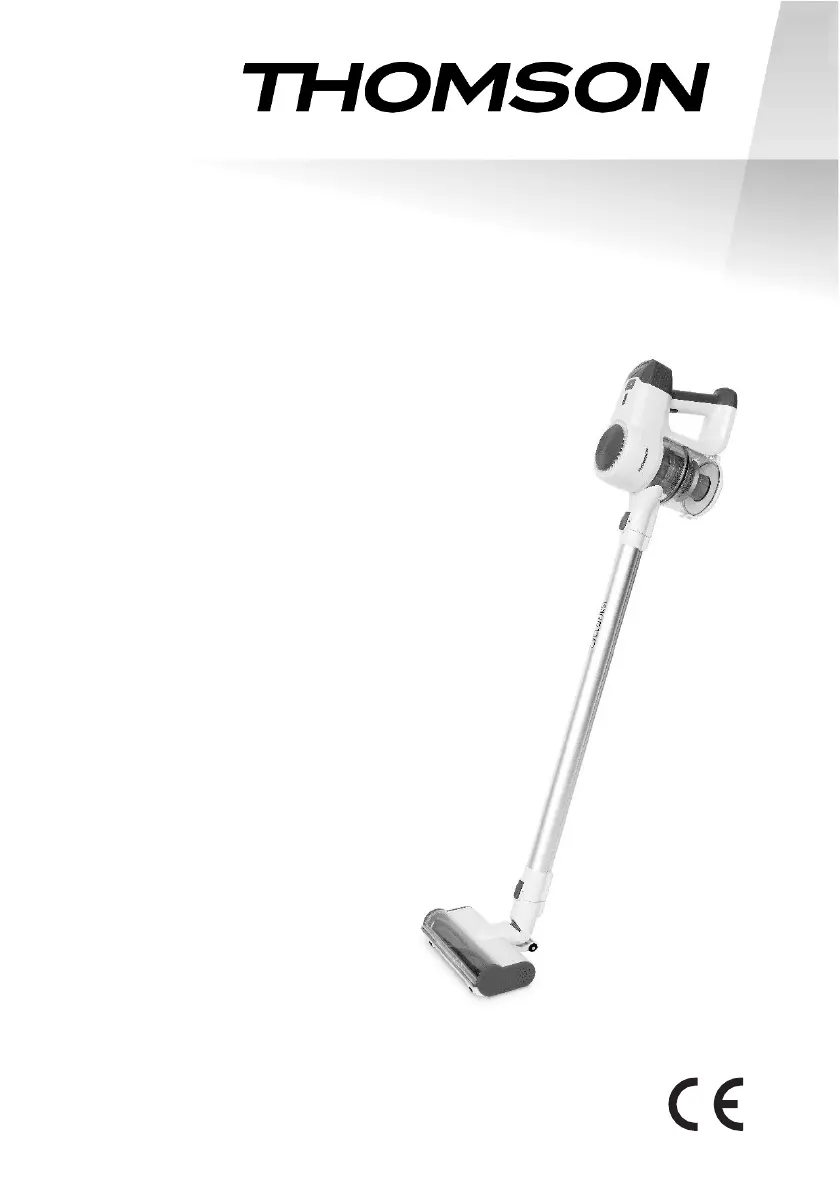
Aspirateur balai sans fil
THVC2312WR
Manuel d'instructions
Lisez attentivement le mode d’emploi avant la première utilisation.
Ce produit est conforme aux exigences de la directive 2014/35/UE (qui
remplace la directive 73/23/CEE modifiée par la directive 93/68/CEE) et
2014/30/UE (remplaçant la directive 89/336/CEE).

Questions and Answers

  • J
    jamesfrancoAug 8, 2025
    Why does my THOMSON THVC2312WR have no suction power?
    • A
      Anna GonzalezAug 8, 2025
      If your THOMSON Vacuum Cleaner lacks suction, several factors could be responsible. First, the dust cup might be full, requiring you to clean it after each use to prevent build-up. Second, the filter may be blocked by dust or debris, which you should remove. Third, the suction inlet of the brush or another accessory might be blocked; check and clear any obstructions. Finally, ensure that all components are completely dry after cleaning.
  • M
    Matthew SingletonAug 15, 2025
    Why is the running time of my THOMSON Vacuum Cleaner shortened?
    • S
      sullivanandrewAug 15, 2025
      A shortened running time for your THOMSON Vacuum Cleaner can be due to several reasons: the battery may need replacement (contact the shop or after-sales service for this at your own cost), the ambient temperature may be too high or too low, or the battery may not be fully charged. Ensure your vacuum operates within a suitable ambient temperature and that the battery is fully charged before use.
  • C
    Charles MccarthyAug 23, 2025
    What to do if the power brush of my THOMSON THVC2312WR Vacuum Cleaner does not work?
    • I
      ipetersonAug 23, 2025
      If the power brush on your THOMSON Vacuum Cleaner isn't working, it might be trapped by hair or larger debris. Check the brush area and remove any hair or thread wrapped around the brush, and clear any larger debris.
  • V
    virginialeeAug 30, 2025
    How to stop the 3 lamps for power indicator from flickering on my THOMSON Vacuum Cleaner?
    • A
      Amy GreeneAug 30, 2025
      If the 3 lamps for the power indicator on your THOMSON Vacuum Cleaner are flickering, it could be because the rolling bar is wrapped or the temperature is too high or low. Clean the rolling bar and move the vacuum to a suitable temperature.

Summary

Safety Instructions

Product Overview

Connecting Accessories

Instructions and diagrams on how to connect vacuum cleaner parts and accessories for use.

Product Operation

Charging the Vacuum

Procedure for charging the vacuum cleaner, including initial charging and charging indicators.

Cleaning the Appliance

Steps for cleaning the vacuum cleaner, including dust container and filters.

Product Maintenance

Guidance on performing regular maintenance and storing the vacuum cleaner correctly.

Troubleshooting

Disposal and Battery Life

Power Supply Specifications

THOMSON THVC2312WR Specifications

General IconGeneral
BrandTHOMSON
ModelTHVC2312WR
CategoryVacuum Cleaner
LanguageEnglish

Related product manuals