9
8 E
Before operating your new Drawer Microwave make sure you
read and understand this User Guide completely.
The following steps MUST be taken before any functions can
be used.
Before you use the Drawer Microwave:
1. Plug in the Drawer Microwave.
ENJOY YOUR MICROWAVE TOUCH
CLEAR AND TOUCH CLOCK
will appear.
2. Touch the Stop/Clear pad.
:
will appear.
3. Set clock.
TO SET THE CLOCK
1. Touch Timer/Clock pad and number 2.
2. Enter the correct time of day by touching the numbers in
sequence. Touch Timer/Clock pad.
This is a 12 hour clock. If you attempt to enter an incorrect
clock time,
ERROR
will appear in the display. Touch the Stop/
Clear pad and re-enter the time.
• If the electrical power supply to your Drawer Microwave
should be interrupted, the display will intermittently show
ENJOY YOUR MICROWAVE TOUCH CLEAR AND TOUCH CLOCK
after
the power is reinstated. If this occurs during cooking, the
program will be erased. The time of day will also be erased.
Simply touch Stop/Clear pad and reset the clock for the
correct time of day.
STOP/CLEAR
Touch the Stop/Clear pad to:
1. Erase if you make a mistake during programming.
2. Cancel timer.
3. Stop the oven temporarily during timed cooking.
4. Return the time of day to the display.
5. Cancel a program during cooking, touch twice.
OPEN OR CLOSE DRAWER MICROWAVE
Always Touch the OPEN or CLOSE pad on the control panel to
open or close the Drawer Microwave.
Do not push or pull the drawer by hand, except in case of
emergency, such as a power failure. If necessary, push or
pull slowly.
BEFORE OPERATING
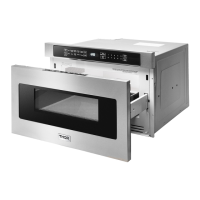
24" AND 30" DRAWER MICROWAVE DIMENSIONS


 To Next Page