
 Need help?
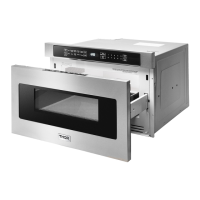
Do you have a question about the Thor Kitchen TMD2401 and is the answer not in the manual?
Safety measures for preventing excessive microwave energy exposure.
Essential safety rules and warnings for microwave operation.
Instructions for safely unpacking and inspecting the microwave unit.
Guidance on proper electrical grounding for safe operation.
Troubleshooting tips for potential radio or TV interference.
General operational information and characteristics of the microwave.
Guidelines for selecting and using appropriate cookware.
Information on available microwave accessories.
Safety precautions to ensure child safety around the microwave.
Guidelines for safe food handling and preparation in the microwave.
Recommendations for safe and effective cooking practices.
Specific advice on preparing various foods for microwave cooking.
Explanation of the Stop/Clear button's functions.
Instructions for safely opening and closing the microwave drawer.
Detailed dimensions for 24-inch and 30-inch drawer microwave models.
Overview of the microwave's control panel layout and buttons.
How to set cooking times for manual operation.
Explanation of the eleven preset power levels.
Using the sensor to automatically adjust cooking.
Recommendations for covering food during cooking.
Using sensor modes for popcorn and reheating food.
Using sensor modes for cooking various food types.
Using the defrost function for various foods.
Instructions for manually defrosting food items.
Using the reheat function for food.
Reheating beverages or making instant coffee/tea.
Using automatic settings for melting, softening, and warming foods.
Maintaining food temperature after cooking.
Adding extra cooking time in one-minute increments.
Adjusting sensor, reheat, or defrost times.
Locking the control panel to prevent accidental use.
Turning off or restoring audible signals.
Managing reminders for the end of cooking cycles.
Programming the microwave to start cooking automatically.
Activating and deactivating the demonstration mode.
How to clean the outside surfaces of the microwave.
Instructions for cleaning the inside of the microwave.
Special care instructions for the waveguide cover.
Methods for removing lingering odors from the microwave.
Troubleshooting common problems before contacting service.
Details regarding product warranty and customer service.
 General
| Brand | Thor Kitchen |
|---|---|
| Model | TMD2401 |
| Category | LCD Drawer |
| Language | English |

 To Next Page


