Temperature Controller Chapter 4: Features
Page 4 TTN051989-D02
Chapter 4 Features
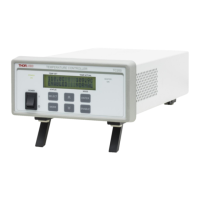
4.1. Front and Rear Panel
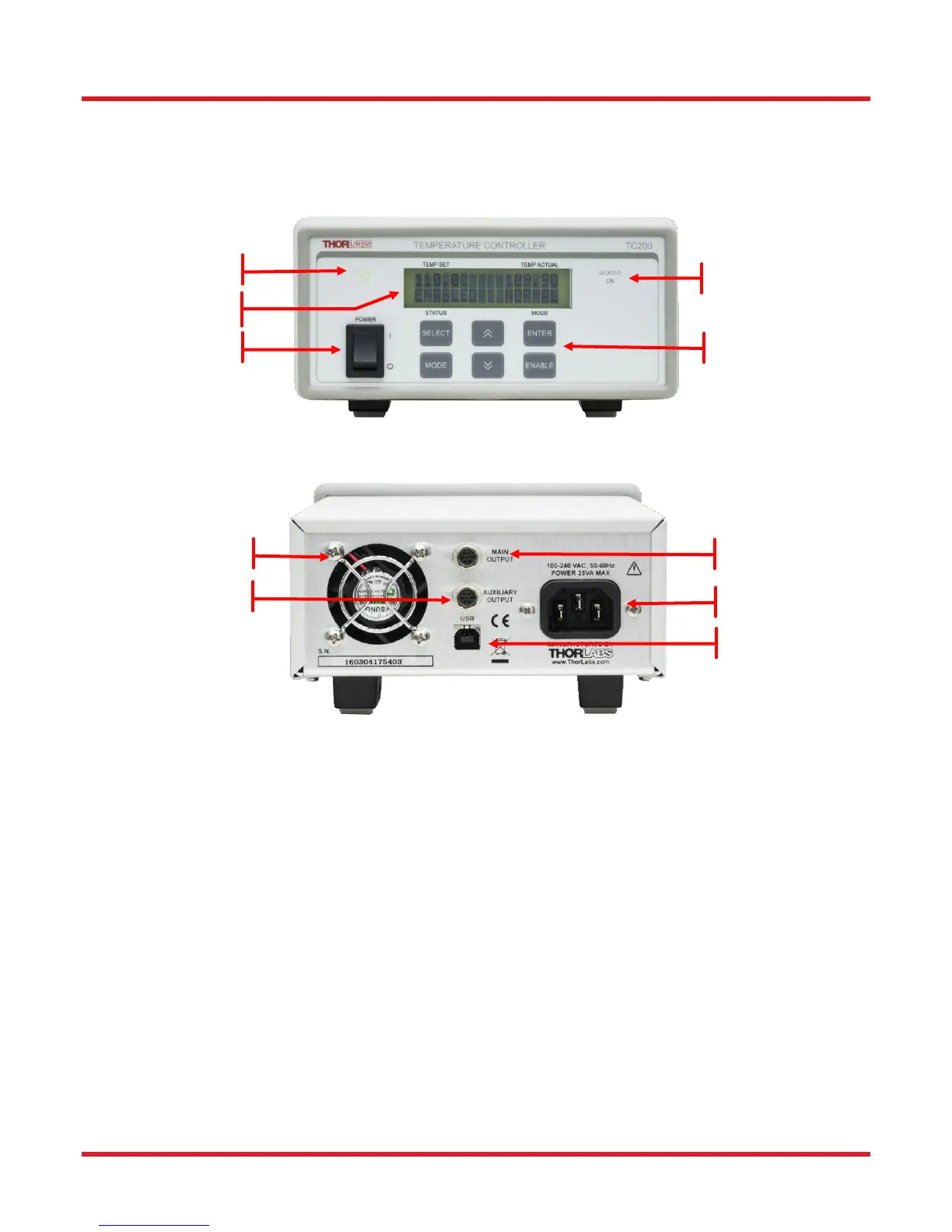
Figure 1 TC200 Front and Rear Panel
1. Power Switch – Turns the unit On and Off.
2. Power On Indicator – When this text is lit, power is applied to the unit.
3. LCD Display – Provides status and temperature information when in the main screen as shown above.
Various programmable mode screens are accessible via the Keypads (4). See Navigating the Front
Panel on page 8 for more details.
4. Keypads – Used to adjust the temperature set-point (Temp Set), enable and disable the output, and
navigate through the various Mode screens.
5. Heater On Indicator – When this text is lit, the output relay is energized, and the heater controller is
enabled. Note: there are situations where the indicator (and relay) will NOT be on, yet the heater controller
will still be enabled – See Maximum Temperature Shutdown on page 6.
6. Cooling Fan


 To Next Page