在 PS4™ 系统上安装
在 PS4™ 系统上注册 BT LED DISPLAY
此操作应仅执行一次。并不需要每次重启 PS4™ 系统时执行。
首次使用 BT LED DISPLAY 时,您必须在 PS4™ 系统上注册它;此操作只能执行一次。
1.通过按 ON/OFF(开/关)按钮 (4) 打开 BT LED DISPLAY
。
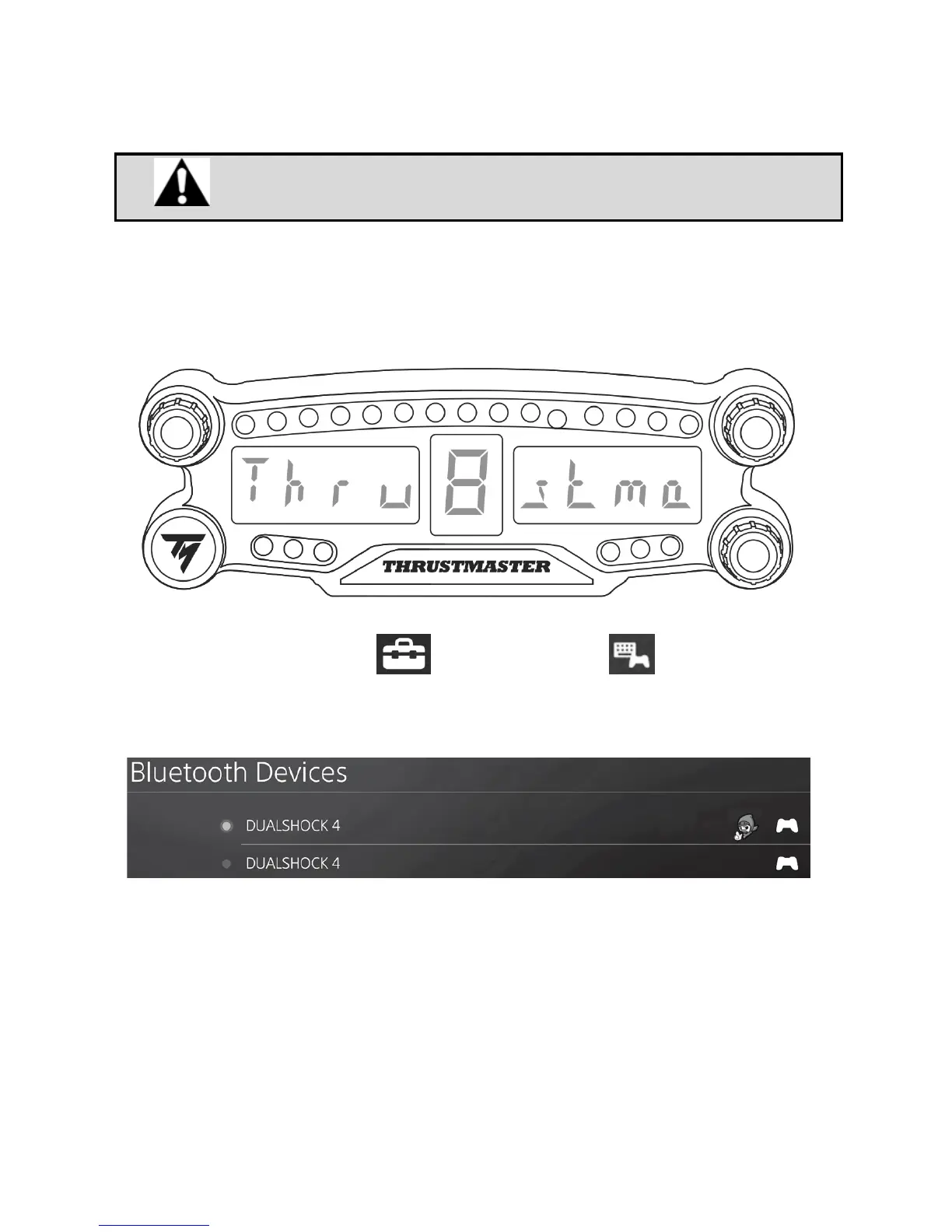
此时,主显示屏 (6) 上将滚动显示消息 Thrustmaster BT Wheel Display。
2.在 PS4™ 系统的菜单中,选择
[ Settings ](设置)> [ Devices ](设备)>
[ Bluetooth Devices ]
(蓝牙设备)以自动搜索附近的 Bluetooth® 蓝牙设备。配对设备
和其他蓝牙设备将显示在列表中。


 To Next Page