INSTALLATION ON THE PS4™ SYSTEM
Register the BT LED DISPLAY on the PS4™ system
This operation should only be performed once. It is not required every
time the PS4™ system is restarted.
When using the BT LED DISPLAY for the first time, you must imperatively register it on your PS4™
system; this operation must only be performed once.
1. Turn on the BT LED DISPLAY by pressing the On/Off button (4)
.
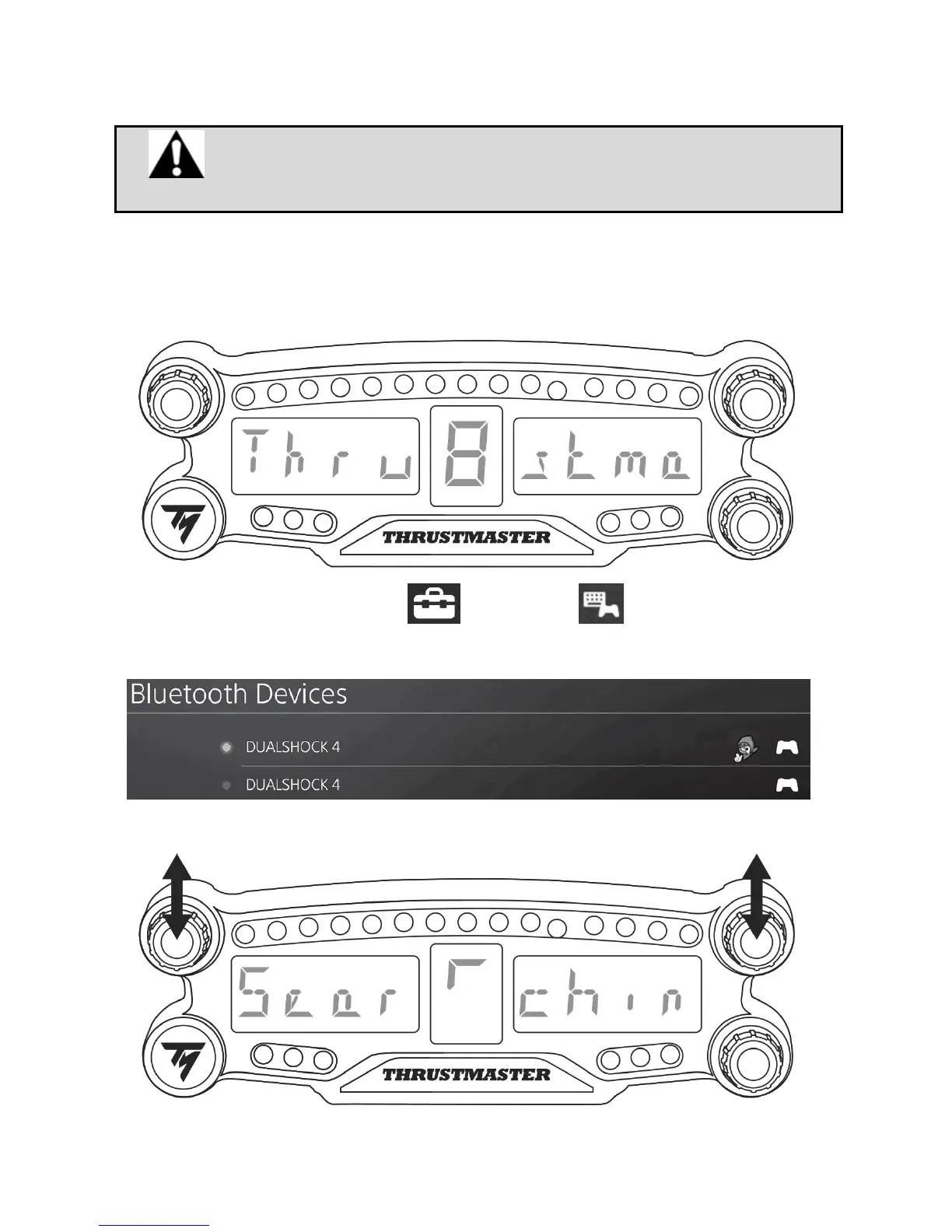
The message Thrustmaster BT Wheel Display scrolls on the main display (6).
2. In the PS4™ system’s menu, select [ Settings ] > [ Devices ] > [ Bluetooth
Devices ] to automatically search for nearby Bluetooth® devices. Paired devices and other
Bluetooth devices will appear in the list.
3. Briefly press and release selectors no. 1 and 2 simultaneously on the BT LED DISPLAY. The
message Searching known devices scrolls on the main display (6).


 To Next Page