4/14
PLAYSTATION® 2
INSTALLATIE OP PLAYSTATION® 2
1. Sluit de PS2 gameport-connector (13) van de ontvanger aan op poort #1 van uw console.
2. Zet de console aan.
3. Zet de gamepad aan met POWER ON/OFF-schakelaar (15).
4. Zodra er een verbinding is: start uw game.
Nu kan er gespeeld worden!
PLAYSTATION® 2-MODUS
"AUTOMATIC PRESET"-CONFIGURATIE - PLAYSTATION® 2
PS2-modus Rode HOME-knop
Hier:
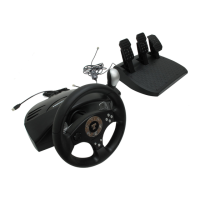
• Het "optische stuur" is
gekoppeld aan de "links/rechts"-richting
van de linkermini-joystick.
• De "rechtertrigger" is gekoppeld
aan de progressief reagerende X-toets.
• De "linkertrigger" is gekoppeld aan
de progressief reagerende vierkantje-toets.
BELANGRIJKE OPMERKING VOOR PLAYSTATION® 2-GEBRUIKERS
Sluit NOOIT de USB-connector (10) aan op uw PlayStation® 2 (om het risico van schade aan uw gamepad
en/of console te vermijden).


 To Next Page
 Loading...