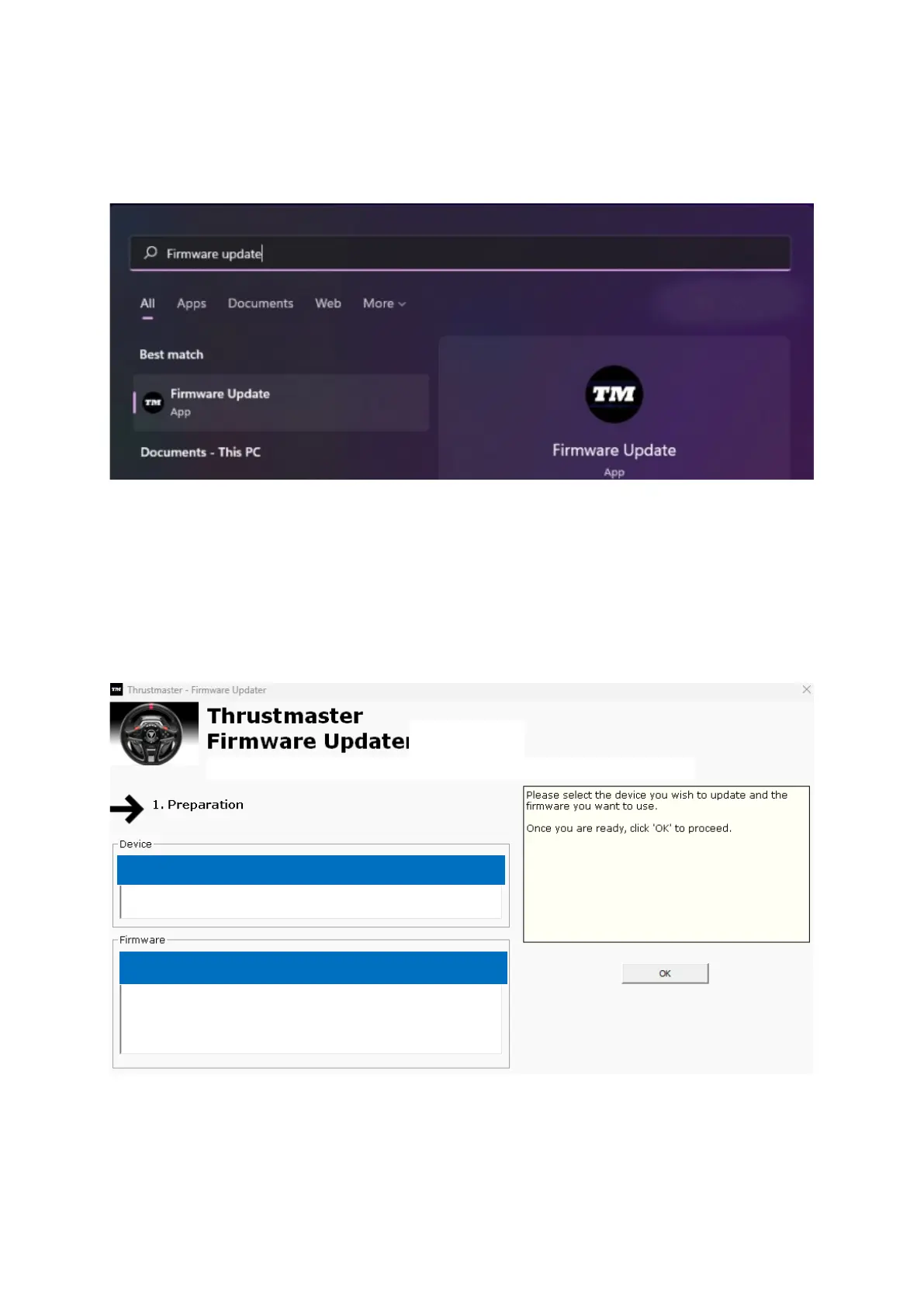
3. PC でファームウェア更新アプリを起動します:
- Windows 検索の虫眼鏡 (PC のタスクバーに配置) をクリックし、「Firmware Update」
と入力して、表示された項目をクリックしてアプリを起動します。
4. 画面に、「Thrustmaster – Firmware Updater」」ウィンドウが表示されます。
- 「Device」に [BOOT] T128…- Ver. .... が表示されます。
- [Firmware] フィールドには、これからデバイスに対して適用されるファームウェアの
バージョンが表示されます。













 To Next Page