T2PA / T3PA / T3PA-PRO mode:
By default, the racing wheel base is in T2PA / T3PA / T3PA-PRO mode.
This mode is stored in the base’s internal memory and stays active unless you
connect a T-LCM pedal set to the RJ12 port, or unless you switch it manually.
T-LCM mode:
The racing wheel base automatically switches to T-LCM mode when you connect a
T-LCM pedal set to the RJ12 port.
This mode is stored in the base’s internal memory and stays active, even if you
connect a T2PA / T3PA / T3PA-PRO pedal set to the base’s RJ12 port.
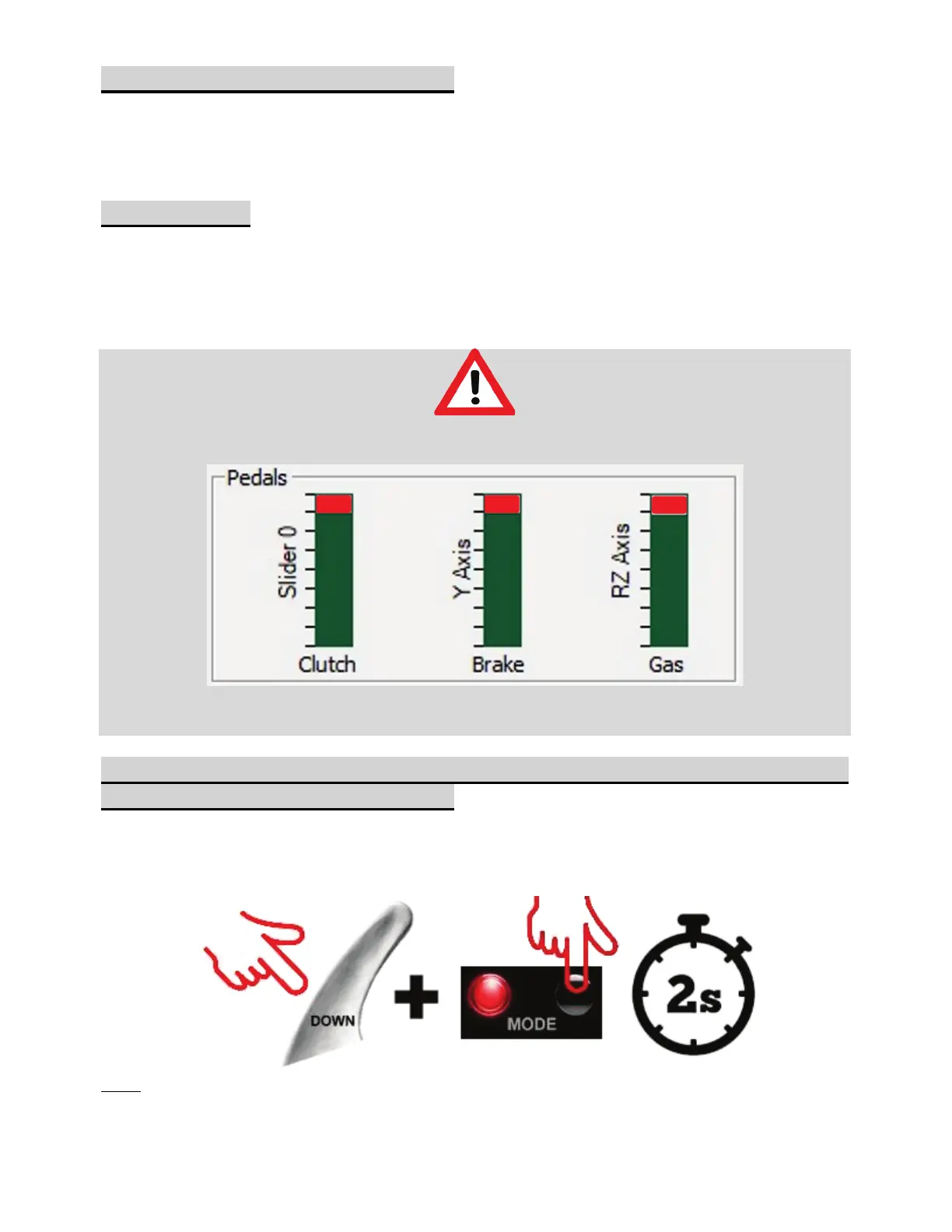
In T-LCM Mode, T2PA / T3PA / T3PA-PRO pedal sets will not work correctly
(the pedal values will not reach 100%):
In order to work correctly again - and reach 100% - you must manually switch
your racing wheel base into T2PA / T3PA / T3PA-PRO mode
To manually switch your racing wheel base from T-LCM mode to
T2PA / T3PA / T3PA-PRO mode:
Simultaneously press the left (DOWN) speed paddle shifter on the wheel + MODE
button on your racing wheel base for two seconds, then let go (the LED flashes once
and T2PA / T3PA / T3PA-PRO mode is now stored in the internal memory of your racing
wheel base).
Note: if you repeat the procedure, the base will switch to T-LCM mode again (the LED will
flash 10 times). Perform the procedure again to return to T2PA / T3PA / T3PA-PRO mode.













 To Next Page