3) Vérifiez la version actuelle du Firmware de votre TX Racing Wheel
Le firmware installé dans votre TX Racing Wheel est visible depuis le panneau de
configuration Windows
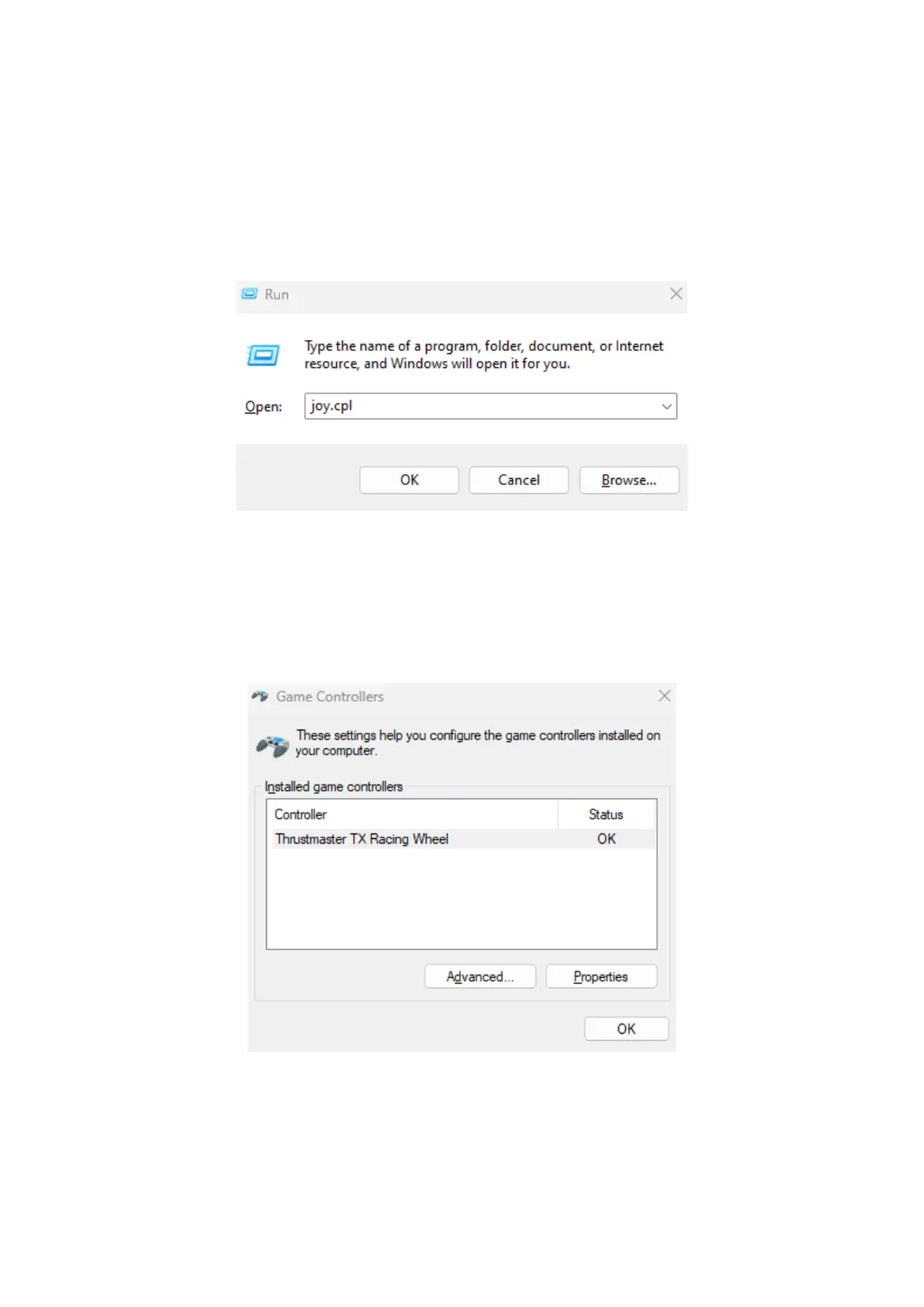
a) Sur votre clavier, appuyez simultanément sur les touches Windows + R
La fenêtre d'exécution s'ouvre : tapez joy.cpl puis cliquez OK
b) La fenêtre Contrôleurs de jeu s’ouvre : sélectionnez le nom de votre
produit puis cliquez Propriétés.
Le TX Racing Wheel apparait sous le nom
Thrustmaster TX Racing Wheel














 To Next Page