3) Verifica la versione attuale del firmware del tuo TX Racing Wheel
La versione del firmware attualmente installata nel tuo TX Racing Wheel può essere
visualizzata nel Pannello di Controllo di Windows.
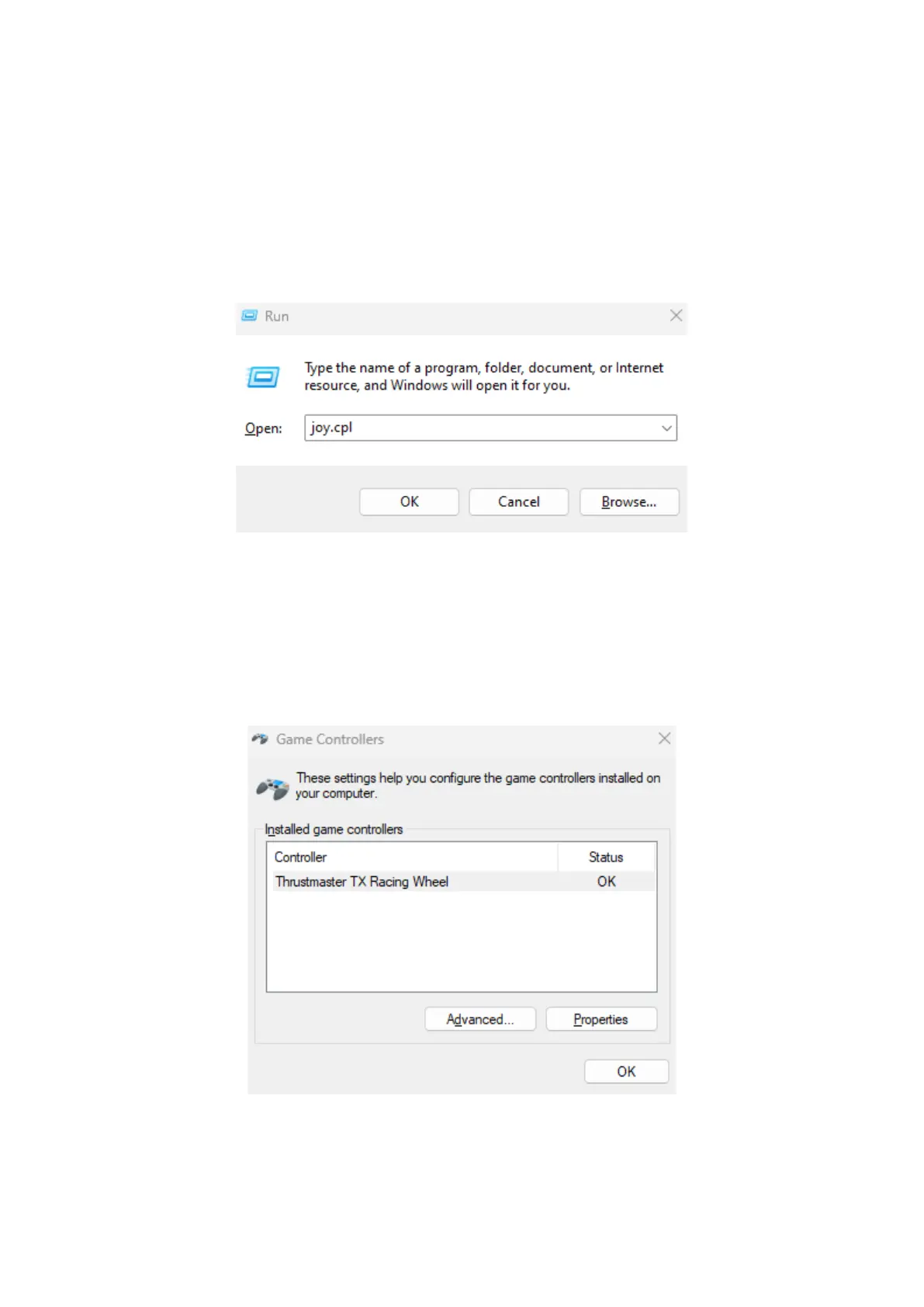
a) Sulla tua tastiera, premi simultaneamente i tasti Windows e R.
Si aprirà la finestra Esegui: digita joy.cpl e clicca quindi su OK.
b) Si aprirà la finestra Periferiche di gioco: seleziona il nome del tuo
prodotto e clicca su Proprietà.
Il tuo TX Racing Wheel comparirà col nome di
Thrustmaster TX Racing Wheel














 To Next Page