Update : January 2024
1) Make sure that you have installed the latest PC - DRIVERS FORCE
FEEDBACK driver on your PC
If necessary, you will find the driver for your device on our website, in the Drivers
section:
https://support.thrustmaster.com/product/txracingwheel/
Restart your computer to complete the update.
2) Plug the TX Racing Wheel power plug into a wall outlet
- DO NOT CONNECT the racing wheel to your PC’s USB before being
prompted to do so.
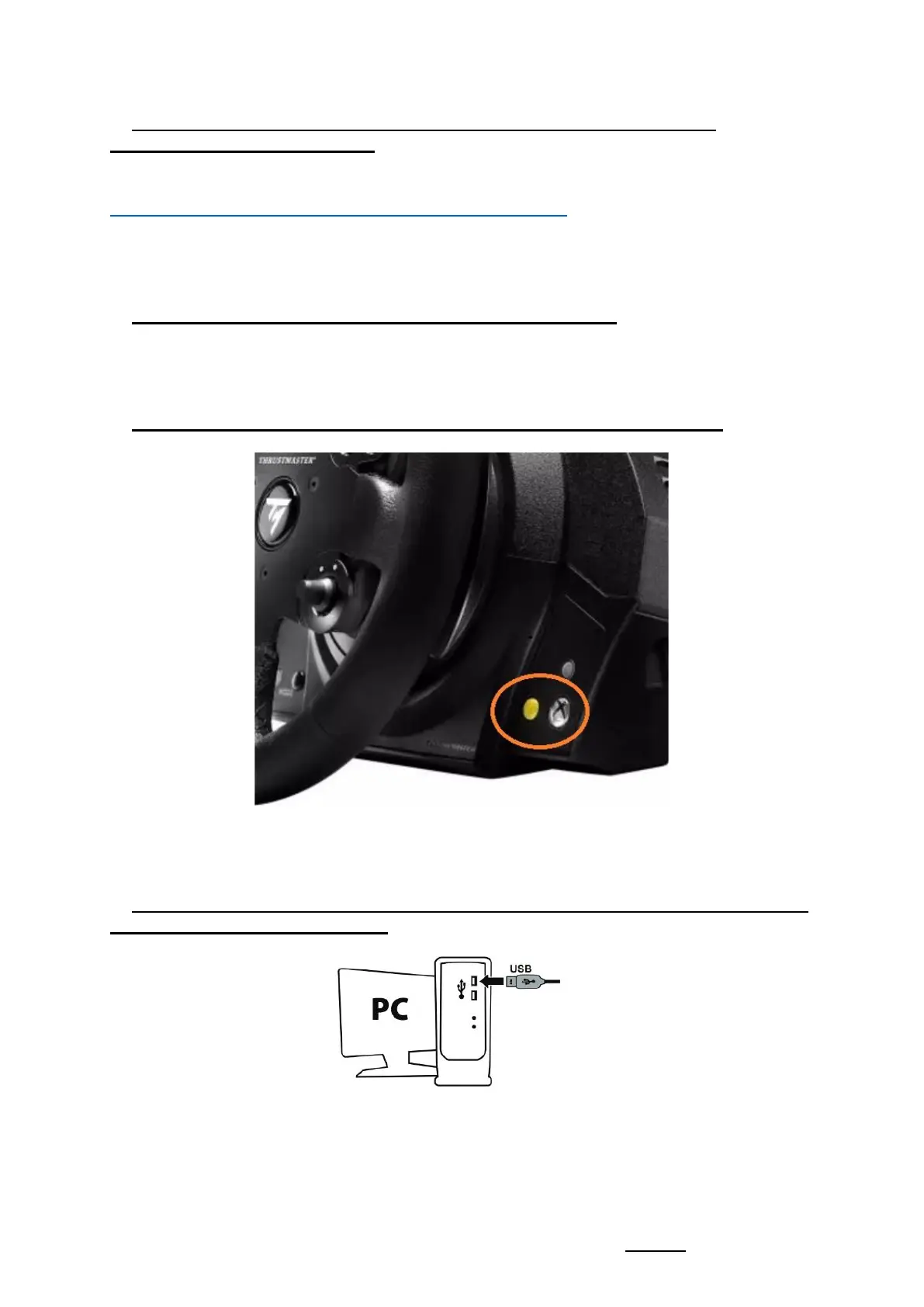
3) Simultaneously press and hold the Yellow and Xbox Guide buttons
4) Connect the TX Racing Wheel directly to a PC USB port by holding down the
Yellow and Xbox Guide buttons
- Wait about 3 seconds then release the Yellow and Xbox Guide buttons.














 To Next Page