MASTER
GAME/CHAT
BASS
0 50
0 50
0 50
A C AB
D GE F
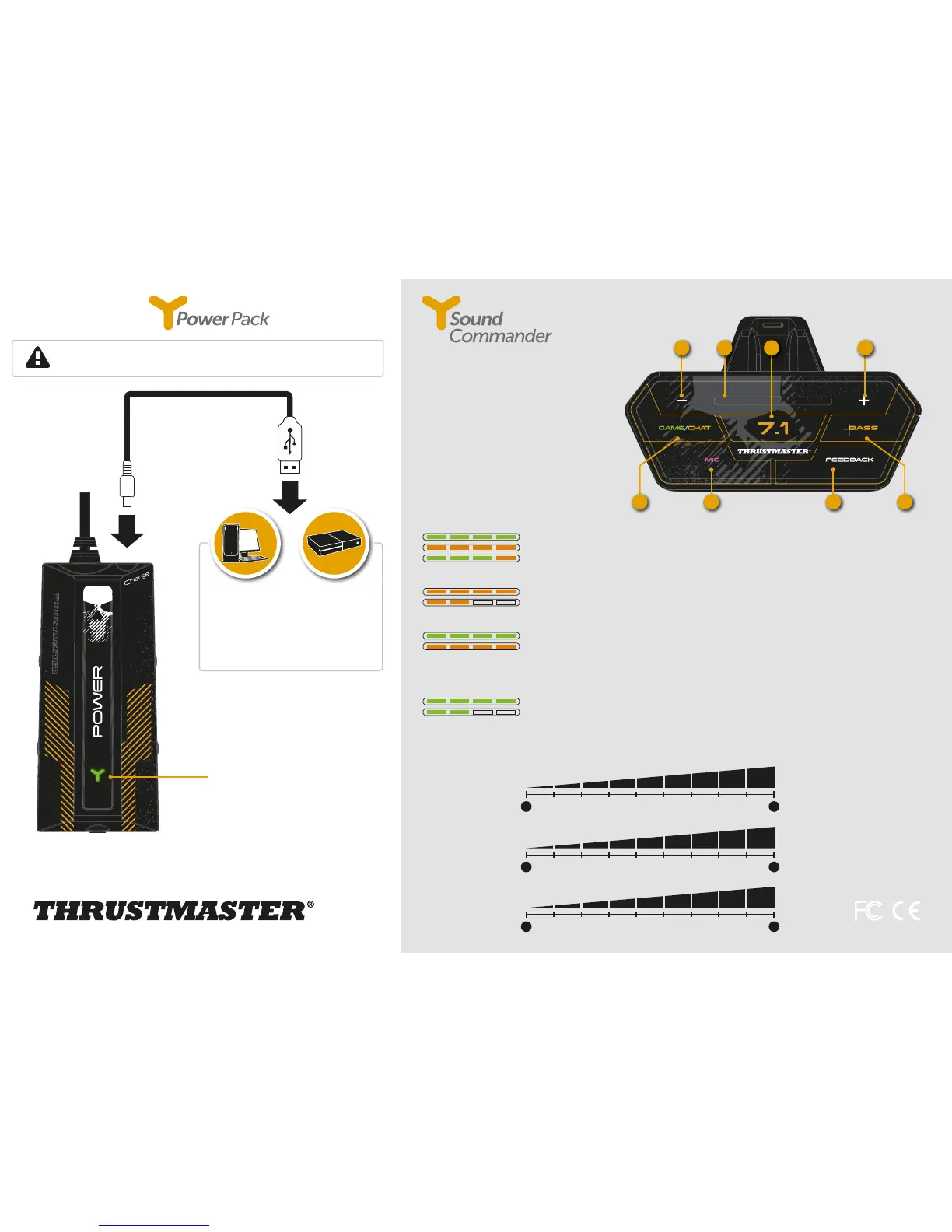
Before using the Y Sound Commander, be sure to charge it completely.
Charge indicator
- Green: charging
- Red: low battery
- O: battery 100% charged
You can charge the headset via any
device equipped with a USB port. The
average charging time is 4 hours. The
charge indicator switches o when the
battery is 100% charged.
A - Volume control
B - Volume indicator
C - Enable/disable 7.1 GHOST RECON
WILDLANDS mode
(green = 7.1 enabled / orange = 7.1 disabled)
D - Enter GAME/CHAT mode, then press – or + to
adjust the balance between the game volume
and the chat volume
E - Enable/disable microphone
(green = microphone enabled)
F - Enable/disable feedback of the player’s voice
G - Enter BASS mode, then press – or + to adjust
the bass volume
GAME/CHAT
Game volume: 100%
Chat volume: 100%
Game volume: 75% / Chat volume: 25%
7.1 GHOST RECON WILDLANDS
Enabled
Disabled
MASTER VOLUME
By default, the control panel displays the game’s master volume in green.
Press – or + to adjust the master volume.
Master volume at 100%
Master volume at 50%
ADJUSTMENT
Adjustment of the dierent volume levels is carried out by steps. There are 50 steps and 9 LEDs.
BASS
Bass volume: 100%
Bass volume: 50%



 To Next Page