Need help?
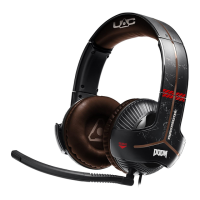
Do you have a question about the Thrustmaster Y-350X and is the answer not in the manual?
Instructions on how to charge the headset's power unit using a USB port and the expected charging time.
Explanation of the LED indicator lights on the power pack to show charging status and battery level.
Detailed description of each button (A-G) on the Sound Commander and their respective functions.
How to adjust game/chat balance, bass volume, and enable/disable 7.1 GHOST RECON WILDLANDS mode.
Explanation of how to adjust the overall master volume using the control panel.
Details on the step-based adjustment system and the role of the LED indicators for volume levels.
 General
| Headset type | Binaural |
|---|---|
| Product type | Headset |
| Product color | Black |
| Wearing style | Head-band |
| Recommended usage | Gaming |
| Power LED | Yes |
| Audio output channels | 7.1 channels |
| Connectivity technology | Wired |
| Impedance | - Ω |
| Driver unit | 60 mm |
| Ear coupling | Circumaural |
| Headphone frequency | - Hz |
| Microphone type | Boom |
| Windows operating systems supported | Windows 10 |
| Battery recharge time | 4 h |
| Continuous audio playback time | 20 h |
| Package type | Box |


 To Next Page