EasyManua.ls Logo

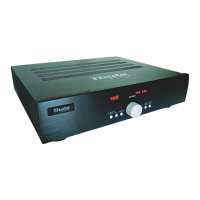
Thule Audio SPHERE AV120 - User Manual

Default Icon
53 pages
Print Icon
To Next Page IconTo Next Page
Loading...
Manufactured under license from Dolby Laboratories. ”Dolby”, ”ProLogic II” and the double-D symbol are trademarks of Dolby Laboratories.
Confidential unpublished works. © 1992-1997 Dolby Laboratories Inc. All rights reserved.
Manufactured under license from Digital Theater Systems, Inc. US Pat. No. 5,451,942, 5,956,674, 5,974,380, 5,978,762, 6,487,535 and other
U.S. and world-wide patents issued and pending. "DTS", "DTS-ES Extended Surround" and "Neo:6" are trademarks of Digital Theater
Systems, Inc. Copyright 1996, 2003 Digital Theater Systems, Inc. All Rights Reserved.
Thule Audio ApS has the right to make changes without prior notice
Owner’s Manual
SPHERE AV100, AV120, AV100S and AV120S
Question and Answer IconNeed help?

Do you have a question about the Thule Audio SPHERE AV120 and is the answer not in the manual?

Summary

Remote Control Overview

AV100 Front and Rear Panel

AV120 Front and Rear Panel

AV100 S Front and Rear Panel

AV120 S Front and Rear Panel

Control Panel and Display Functions

Installation Guidelines

Input Selection and Configuration

Volume Adjustment and Trimming

Zone 2 Audio Output

Audio Delay and Lip Sync

Surround Sound Modes

Dolby Digital Surround

Explains Dolby Digital 5.1 detection and output channel information.

DTS Surround Formats

Covers DTS 24-bit, DTS ES 6.1 Discrete, and DTS ES 6.1 Matrix formats.

Dolby ProLogic II Processing

Describes ProLogic II music and movie modes for stereo to surround conversion.

PCM and Analogue Input Handling

Configuration Menu Navigation

Extended Surround Side Channels

Details the 8.1 channel extension setup using side channels and external amplifiers.

Speaker Configuration and Bass Management

Input Socket Assignment

Describes how to assign input sockets for each source.

Speaker Level Calibration (Noise Test)

Details the procedure for calibrating speaker levels using a noise signal.

Crossover Frequency Settings

Explains setting crossover frequencies for bass management.

Extended Surround Options

Details enabling DTS ES 6.1, 6.1 Matrix, and side channels.

Dynamic Range Compression

Volume Scale Settings

Describes the two volume scale settings: progressive and fixed 0.5dB steps.

Saving Setup Parameters to Memory Bank

Explains how to save and reload system settings into memory banks for surround modes.

Factory Default Reset

Describes how to restore the amplifier to its original factory default settings.

On-Screen Display (OSD) Configuration

Details OSD settings for AV100S/AV120S, enabling display on TV/projector.

SPDIF Output Settings

External Power Amplifier Control

Explains controlling external Thule Audio amplifiers via RJ45 connector.

ProLogic II Input Defaults

Allows selection of default ProLogic II mode (movie/music) for each input.

Video Input;Output for AV100 S;AV120 S

Details video input format selection and output settings for specific models.

Technical Specifications

User Notes and Settings Log

Special Functions Appendix

A;D Level and Auto-Gain

Details the analogue-to-digital conversion process and auto-gain feature.

Digital Input Connection Types

Compares coaxial and optical digital input advantages and considerations.

Automatic Failure Correction System

Describes the system's watch dog function and troubleshooting steps.

Thule Audio SPHERE AV120 Specifications

General IconGeneral
BrandThule Audio
ModelSPHERE AV120
CategoryAmplifier
LanguageEnglish

Related product manuals