EasyManua.ls Logo

Thunderbolt Magnum Solar 68738 - User Manual

Thunderbolt Magnum Solar 68738
8 pages
Print Icon
To Next Page IconTo Next Page
Loading...
Email our tech support at: productsupport@harborfreight.com
Owners Manual & Safety Instructions
Save This Manual Keep this manual for the safety warnings and precautions, assembly,
operating, inspection, maintenance and cleaning procedures. Write the product’s serial number in the
back of the manual near the assembly diagram (or month and year of purchase if product has no number).
Keep this manual and the receipt in a safe and dry place for future reference. 19f
When unpacking, make sure that the product is intact
and undamaged. If any parts are missing or broken,
please call 1-888-866-5797 as soon as possible.
Copyright
©
2011 by Harbor Freight Tools
®
. All rights reserved.
No portion of this manual or any artwork contained herein may be reproduced in
any shape or form without the express written consent of Harbor Freight Tools.
Diagrams within this manual may not be drawn proportionally. Due to continuing
improvements, actual product may differ slightly from the product described herein.
Tools required for assembly an d se rv ic e may n ot b e in cl uded.
Read this material before using this product.
Failure to do so can result in serious injury.
SAVE THIS MANUAL.
Visit our website at: http://www.harborfreight.com
Email our technical support at: productsupport@harborfreight.com
Question and Answer IconNeed help?

Do you have a question about the Thunderbolt Magnum Solar 68738 and is the answer not in the manual?

Summary

Safety Information

Safety Alert Symbols

Explains hazard symbols like DANGER, WARNING, CAUTION, and NOTICE.

General Safety Warnings

Emphasizes following all warnings and instructions to prevent injury.

Installation Guidance

Installation Precautions

Covers precautions for working at heights, wiring, panel handling, and cooling.

Wire Gauge Guidelines

Provides wire gauge recommendations based on current and length for safe connections.

Battery Precautions

Outlines essential safety measures when working with batteries.

Service Precautions

Lists safety procedures for maintenance, cleaning, and servicing the product.

Product Operation and Wiring

Identifying Port Connections

Details how to identify and connect battery, load, and solar panel ports.

Making Connections

Provides the correct sequence for disconnecting and connecting components.

Wiring Instructions

Offers guidance on running wires, securing connections, and weatherproofing.

Operation Controls

Explains the function of the Display Button and Load Switch.

Advanced Features and Maintenance

Overcharge and Discharge Protection

Describes how the controller protects the battery from overcharging or over-discharging.

Servicing Warnings

Highlights critical safety warnings before performing any servicing.

Cleaning and Inspection

Provides monthly cleaning and inspection procedures for optimal performance.

Efficiency Adjustments

Offers advice on adjusting panel angle for seasonal efficiency improvements.

Product Information and Warranty

Parts List

Lists all components included with the product and their quantities.

Assembly Diagram

Illustrates the physical assembly of the charge controller components.

90 Day Warranty

Details the warranty coverage, limitations, and claim process.

Overview

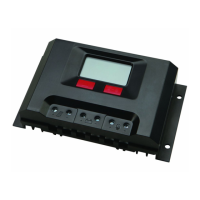
This document is an owner's manual and safety instructions for the Thunderbolt Solar 500 Watt Charge Controller, model 68738. It provides comprehensive information on installation, operation, maintenance, and safety precautions for the device.

Function Description:

The Thunderbolt Solar 500 Watt Charge Controller is designed to regulate the output from solar panels to a battery, preventing overcharging and ensuring safe and efficient power delivery. It is intended for use in 12 VDC systems and manages the charging current from the solar panel to the battery, as well as the output current from the battery to a connected DC load. The controller features a display to monitor battery voltage, output current to the load, and solar charge current. It also incorporates overcharge and discharge protection mechanisms to safeguard the battery and the overall system.

Important Technical Specifications:

  • Model: 68738
  • Max. Input Wattage: 360 Watt (for 12V panel)
  • Max. Input Voltage: 50V
  • Max. Input Amps: 30A
  • Rated Output: 12VDC
  • Overcharge Voltage: 14.5V ± 0.4V
  • System Compatibility: Designed for 12 VDC systems only.
  • Wire Gauge Guidelines: The manual provides a detailed chart for selecting the correct UL listed outdoor rated wire thickness (gauge) based on current in amps and maximum length, ranging from 5' to 25'. For example, for 0-5 Amps, 18 gauge wire is recommended for lengths up to 25'. For 30 Amps, 16 gauge is for 5', 14 gauge for 10', and 10 gauge for 15'.
  • Operating Temperature Note: Output will decrease as the panel gets hotter than room temperature (~70° F).

Usage Features:

  • Display Button: The controller features a display button (marked by a triangle symbol) that cycles through three different modes:
    • Mode 1 (Battery Voltage): Shows the working voltage of the battery (e.g., 12V). The Load Switch does not affect the display in this mode.
    • Mode 2 (Output Current to Load): Shows the output current from the battery to the load (e.g., 18A). If the Load Switch is OFF, the display will show "00.0 A".
    • Mode 3 (Solar Charge Current): Shows the charging current from the solar panel to the battery (e.g., 18A).
  • Load Switch: Controls the DC load output. If an overload discharge is triggered, the load output will be cut off, and pressing the Load Switch will sound an alarm. Pressing the Load Switch after recovery from over-discharge or overload resets the load output function.
  • Connection Polarity: Clear instructions are provided for connecting the battery, DC load, and solar panel to their respective ports, emphasizing the importance of correct polarity (positive and negative symbols) and secure connections.
  • Connection Sequence: Specific sequences for connecting and disconnecting components are outlined to ensure safety and prevent damage. When connecting, the battery ports are connected first (positive then negative), followed by solar panel ports (positive then negative), and then load ports (positive then negative). When disconnecting, the solar panel ports are disconnected first (positive then negative), then the load switch is turned off and load ports disconnected, and finally the battery ports are disconnected (positive then negative).
  • Overcharge Protection: Automatically stops charging when battery voltage is too high to prevent overcharging. Charging resumes when the battery voltage decreases.
  • Discharge Protection: Cuts off power to the load when battery voltage drops too low to prevent battery damage.
  • Installation Flexibility: The manual advises installing sensitive electrical components in a weatherproof enclosure. It also warns against wiring multiple panels in series without a regulator and emphasizes that grid tie-in systems require a licensed electrician and building contractor.

Maintenance Features:

  • Monthly Inspection: The manual recommends inspecting the system at least monthly. This includes checking for loose hardware, damaged wiring insulation, cracked glass, open housing, cracked or broken parts, and loose or corroded contacts.
  • Cleaning: Solar panels should be cleaned monthly with a mild, non-abrasive cleanser and soft cloth/paper towels. Abrasive cleaners or brushes should not be used.
  • Pre-Service Precautions: Before any service, maintenance, or cleaning, users are instructed to:
    • Dry solar panels and outdoor wiring thoroughly while wearing electrically insulated gloves.
    • Cover all solar panels with an opaque cover (e.g., a blanket).
    • Disconnect all solar panels.
    • Disconnect all batteries.
    • Avoid servicing during rain, fog, or any other wet/humid weather.
  • Battery Maintenance: Batteries should be inspected and maintained according to the supplier's instructions. Users are advised to wear splash-resistant ANSI-approved safety goggles and electrically insulated gloves when working near batteries.
  • Efficiency Adjustment: To increase efficiency, the manual suggests adjusting the panel's angle:
    • Increase by 10° in Winter.
    • Decrease by up to 10° in Summer.
    • Keep at the recommended angle in Spring and Fall.
  • Damage Warning: Do not use a damaged Charge Controller. If wiring insulation is damaged or weathered, solar panel glass is cracked, or housing is opened, the problem must be corrected before further use.
  • Professional Repair: Procedures not specifically explained in the manual must be performed by a qualified technician.
  • Product Labels: Maintain product labels and nameplates as they carry important safety information. Contact Harbor Freight Tools for replacements if unreadable or missing.

Thunderbolt Magnum Solar 68738 Specifications

General IconGeneral
BrandThunderbolt Magnum Solar
Model68738
CategoryController
LanguageEnglish