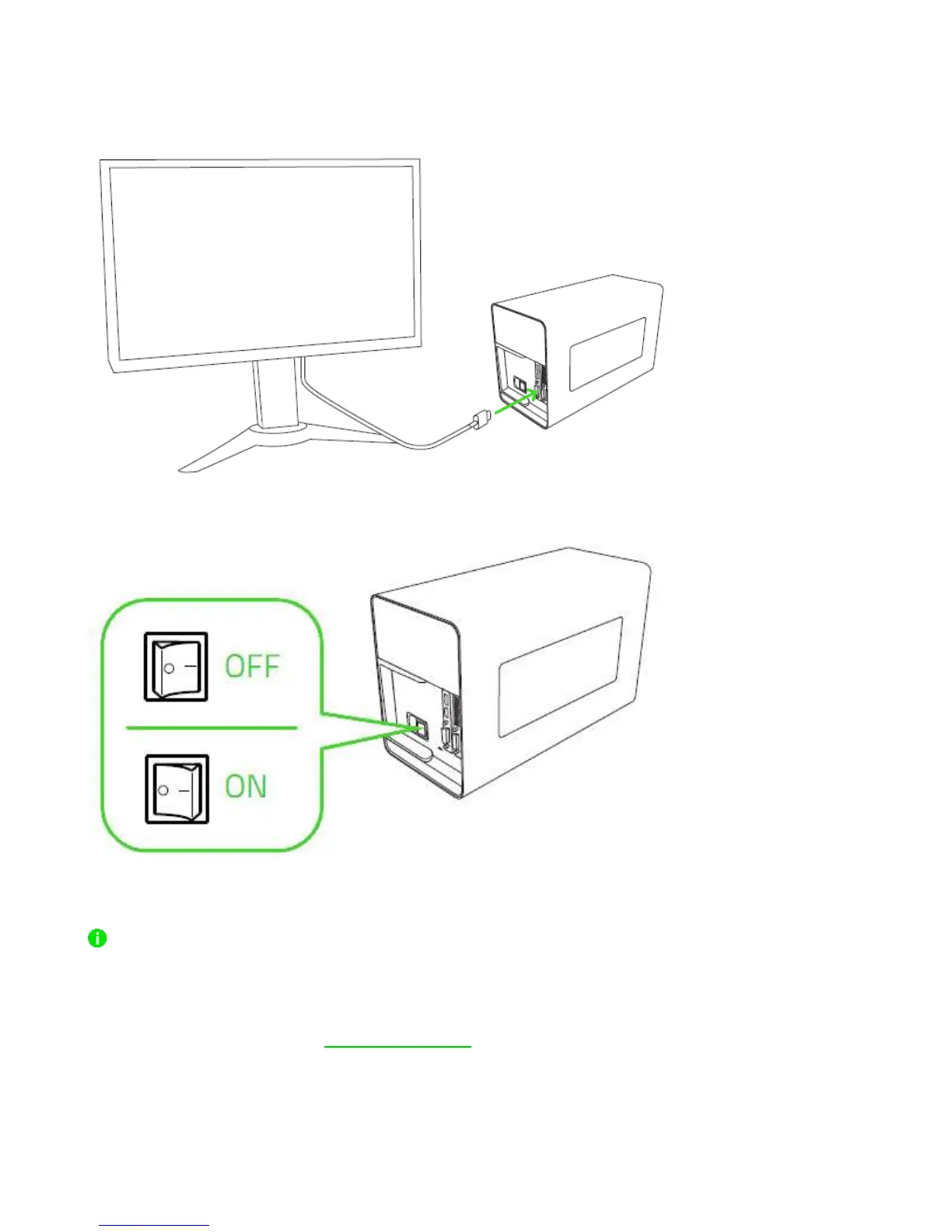
12. Connect the Razer Core X to your external monitor using the display port of your
installed graphics card.
13. Toggle the power switch on.
A SYSTEM UPDATE MAY BE REQUIRED
Your compatible Razer Blade Stealth or Razer Blade may require a software update for Razer
Core X to function properly. Please check the following website to ensure your system has
the latest software installed: rzr.to/core-update


 To Next Page