- 8 -
Frequency band selection / table
Frequency Band Table
8 programmable frequency bands are available, as per the below table :
FREQUENCY BAND
ID CODE
COUNTRY SPECIFICATIONS
(Channels, Operating Modes, TX Power)
UK UK 40 FM UK CHANNELS
40 FM / AM EU CHANNELS
CE EUROPE 40CH FM 4W
EU EUROPE 40CH FM 4W - 40CH AM 4W
IN EUROPE 27 CH AM / FM 4 W
DE GERMANY 40CH FM / AM 4W
80CH FM 4W
I2 ITALY 34CH AM / FM 4W
IO ITALY 40CH FM 4W - 40CH AM 4W
PL POLAND 40CH FM 4W - 40CH AM 4W
Frequency Band Selection / Programming
This Thunderpole T-X CB radio must be programmed and exclusively used on a frequency band
allowed in the country where the product is used (see below). To program a different frequency
band, proceed as follows :
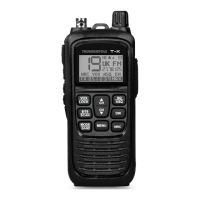
1) Long press the Mode / Band button (10) until the frequency band ID is ashing on the LCD
2) Use the Up / Down buttons (7 and 17) to choose the frequency band required (see table below)
3) To select the band short press the Mode / Band button (10).
UK/EU Channel Selection (Frequency Band “UK”)
If the UK Frequency band has been selected, all 80 channels available for UK use can be
accessed by short pressing the ‘Mode / Band’ button (10), this will change the band between
UK(FM) -> EU(FM) -> EU(AM) frequency bands.
If the radio is programmed to a different band that allows AM/FM operation, this button will simply
alternate between AM and FM mode.


 To Next Page
 Loading...