2 | P a g e
Visit our website @ www.thunderstonemfg.com
USE THE PROCEDURES BELOW TO OPERATE THE TARP SYSTEM
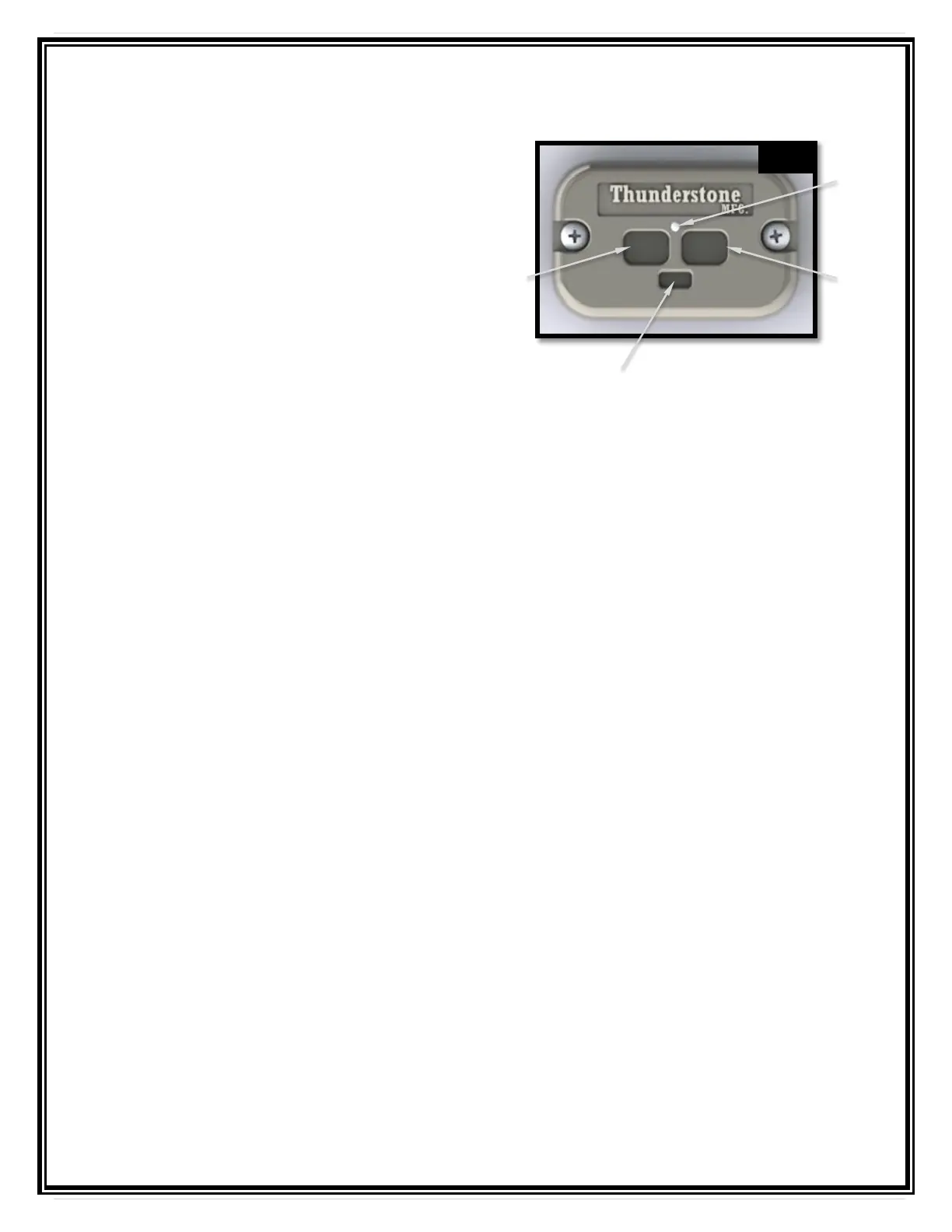
Powering up or down the system
To turn the system on or off, locate the
Open and Close buttons on the keypad
controller on the front of the trailer. Press
and hold both buttons simultaneously for
approximately 3 seconds. The LED status
light and the two large buttons will
illuminate when the power is on and ready
for operation. You can also press and hold
the TARP OPEN and TARP CLOSE
buttons on the remote for 3 – 5 seconds to
power the system on or off. See next page
for programming instructions.
One Touch Operation - The one touch function is fully automated. The system will stop when fully opened or closed.
To open or close the tarp using the one touch operation feature, press and hold the desired
directional button on the keypad or remote for 1 – 1 ½ seconds until the keypad status light turns
solid green. Release the button and the keypad status light will start flashing green indicating one
touch operation. The tarp will travel in that direction automatically and stop when it is fully open or
closed.
Incremental Operation
To inch the tarp in either direction, press then release the desired directional button on the keypad
or remote for less than 1 – 1 ½ seconds intermittently to move the tarp in that direction.
Press and Hold operation
To open or close the tarp using the press and hold feature, press and hold the desired directional
button on the keypad or remote for more than 2 ½ seconds or until the keypad status light turns
from solid green to solid white. The tarp will travel in that direction until you release the button.
Never travel with the tarp in a partially covered position. The trailer
should always be covered when traveling.



 To Next Page