However, if the user requires to know the rate of change of the
rising edge, the sampling frequency requirements are consider-
able since a number of samples must be taken during the time of
the rise.
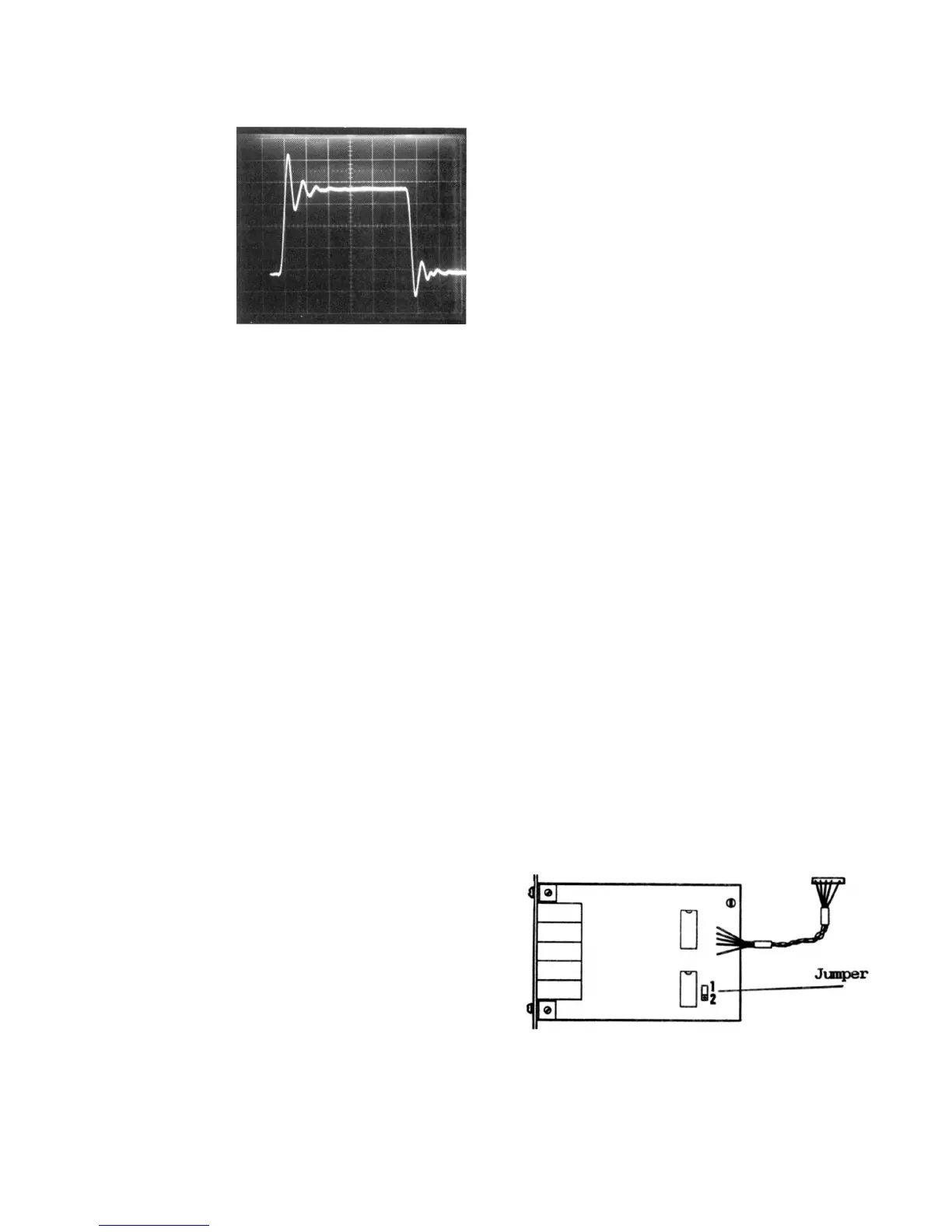
Fig c.
Most commonly, the user merely requires a representation of the
general shape of the waveform. In the case of the waveform of
Fig c it is clear that a reasonable representation can be obtained
using ten samples per cycle of the sinusoidal frequency. This
leads to a useful rule of thumb which is that the sampling
frequency should be at least ten times that of the fastest cyclic
element in the waveform. Alternatively we could say that the
single-shot bandwidth equals one tenth of the maximum
sampling frequency.
Because a cyclic element which is represented by ten samples
occupies only 0.1 divisions on the display, it will be necessary to
use "magnify" mode to view it properly. When the DSA524
display mode is set to MAG it not only increases the spacing
between the original samples by ten, but also calculates and dis-
plays intermediate samples using mathematical interpolation.
The standard interpolation provided by the DSA524 is linear.
Linear interpolation joins the true samples with straight lines,
which improves the visual appearance of the waveforms when
the number of samples per cycle is low. Linear interpolation pro-
vides a good reconstruction of waveforms which are made up
mainly of linear elements.
The DSA524 also provides sine interpolation as an alternative.
This is based on a mathematical curve fitting algorithm known as
the "cubic spline", and provides an excellent reconstruction of
waveforms which appear to be made up of simple sinusoids. Sine
interpolation will provide a near perfect reconstruction of a
sinewave sampled at only four samples per cycle.
This leads to a second useful rule of thumb which is that, when
using sine interpolation, the single-shot bandwidth equals one
quarter of the maximum sampling frequency.
Sine interpolation will not provide a good reconstruction of the
parts of a waveform which are not smooth curves. It should
therefore not be used with pulse, triangle, sawtooth waveforms
etc.
APPENDIX D. ANALOG PLOTTER "PLOT" FUNCTION
The waveforms shown on the oscilloscope display can be sent
either to an analog X-Y plotter or to a Y-T chart recorder using
the analog plotter interface.
The DSA is factory initialised for use with a digital plotter. To
change over to use with an analog plotter key in "function 26"
(press FUNCTION NN, followed by 2 followed by 6). To return to
use with a digital plotter key in "function 27".
The analog plotter interface is mounted on the rear panel and
has five 4mm sockets marked X, YA, GND, YB, and PL (pen lift).
The X signal is only required when using an X-Y plotter. When
using a chart recorder the pen lift signal can be used to control
the chart movement.
The waveforms for Trace A and Trace B are sent simultaneously
to their separate output sockets along with an X axis signal for
use with X-Y plotters. The 10.24 divisions of the display are plot-
ted using a level of 100mV/div (for both Y and X) at a rate selec-
table as 1,2,5 or 10 seconds per division. The pen-lift signal is
normally "low to lift" but can be inverted.
To set the plot rate, press SHIFT (key 8) followed by SET PLOT
(key 5). The oscilloscope display will show the present plot rate.
Press one of the REF CURS keys (key 2 or 3) to select a new
value, then press ESCAPE. If the DSA is not connected to an
oscilloscope the plot rate may be set directly using the FUNC-
TION NN key (see Section R27.).
Two versions of the PLOT function are provided. The default
version provides prompts for manual or semi-automatic
operation of the recorder or plotter. Its operation is as follows:
Before the PLOT function is commenced, the Y and X output
signals will both be at zero, representing the bottom left-hand
corner of the oscilloscope display. The pen lift signal will be set
to "up".
Press PLOT (key 6), the oscilloscope display will show "ZERO
PEN/HIT ANY KEY". If RUN/HOLD was set to RUN it will become
set to HOLD. The interface will output YA and YB values
equivalent to + 4.25 divisions, and an X value equivalent to
+0.12 divisions. This represents the left-hand centre of the os-
cilloscope graticule. Adjust the zero controls of the plotter/re-
corder accordingly. The pen lift signal will remain set to "up".
Press any key (e.g. PLOT), the display will show "PEN DOWN/
HIT ANY KEY". The pen lift signal will be set to "down". If
automatic pen lift control is not being used, lower the pen.
Press any key, the display will show "PLOTTING". Plotting will
commence starting at X position 0.00 and continue to position
10.24. When plotting has finished the display will show "PEN
UP/HIT ANY KEY". The pen lift signal will be set to "up". If
automatic pen lift control is not being used, raise the pen.
Press any key, the Y and X output signals will both be set to
zero and the pen lift signal will remain "up". To abandon the
PLOT function at any stage before it is completed press
ESCAPE.
The alternative version of the PLOT function is intended for fully
automatic control of the recorder/plotter. To change to this ver-
sion, key in "function 25". To return to the normal prompted
version, key in "function 26". The operation of the alternative
version is as follows:
Press PLOT (key 6), the pen lift signal will be set to "down", and
plotting will commence starting at X position 0.00 and finishing
at 10.24. If RUN/HOLD was set to RUN it will become set to
HOLD. When plotting is completed, the pen lift signal will be set
to "up", and the Y and X output signals will both be set to zero.
To abandon plotting at any time press ESCAPE.
The Pen Lift signal has a level of either 0 volts or 5 volts from a
source impedance of 1K ohm. The default polarity of this signal
is "low to lift". This can be changed to "high to lift" by dismant-
ling the case and changing the jumper on the analog plotter
interface PCB from position 1 to position 2 (see diagram below).
The signal can be used to switch most logic based control
inputs including TTL. However it should not be connected to
input circuits which sink currents to below 0 volts or which
source currents of more than 1mA to a voltage above 5 volts.
Doing so could cause incorrect operation of the whole plotter
interface.


 To Next Page
 Loading...
