10
HR624 MK2
HR624 MK2
Conversely, if your mixes are consistently too bright,
then adding some additional high-frequency energy in
the monitors satises your ears, and the resultant mix
has less HF content.
The timbre of your monitors affects
the way that your mixes play on other
equipment. Remember that the
monitors have a mirroring effect on
the mix; if the monitors make
something too loud in the mix it usually results in not
enough of that thing on tape.
Start with the response modication switches in the
factory recommended settings (see Quick Start
Section). After prolonged listening, if you notice a trend
in your mixes, perhaps making some small adjustments
as suggested here will help.
It’s a real rush to mix really loud. But remember that
the resulting mix only sounds good when you play it at
least that loud. However strange it may sound, mixes
made at lower levels sound even better when played
loud; perhaps even a bit bigger than life.
Get that sound level meter out. Decide what level
you’re going to mix at and use the meter to help keep
your mixing at that level. Your ears will thank you, and
your mixes will be better for it.
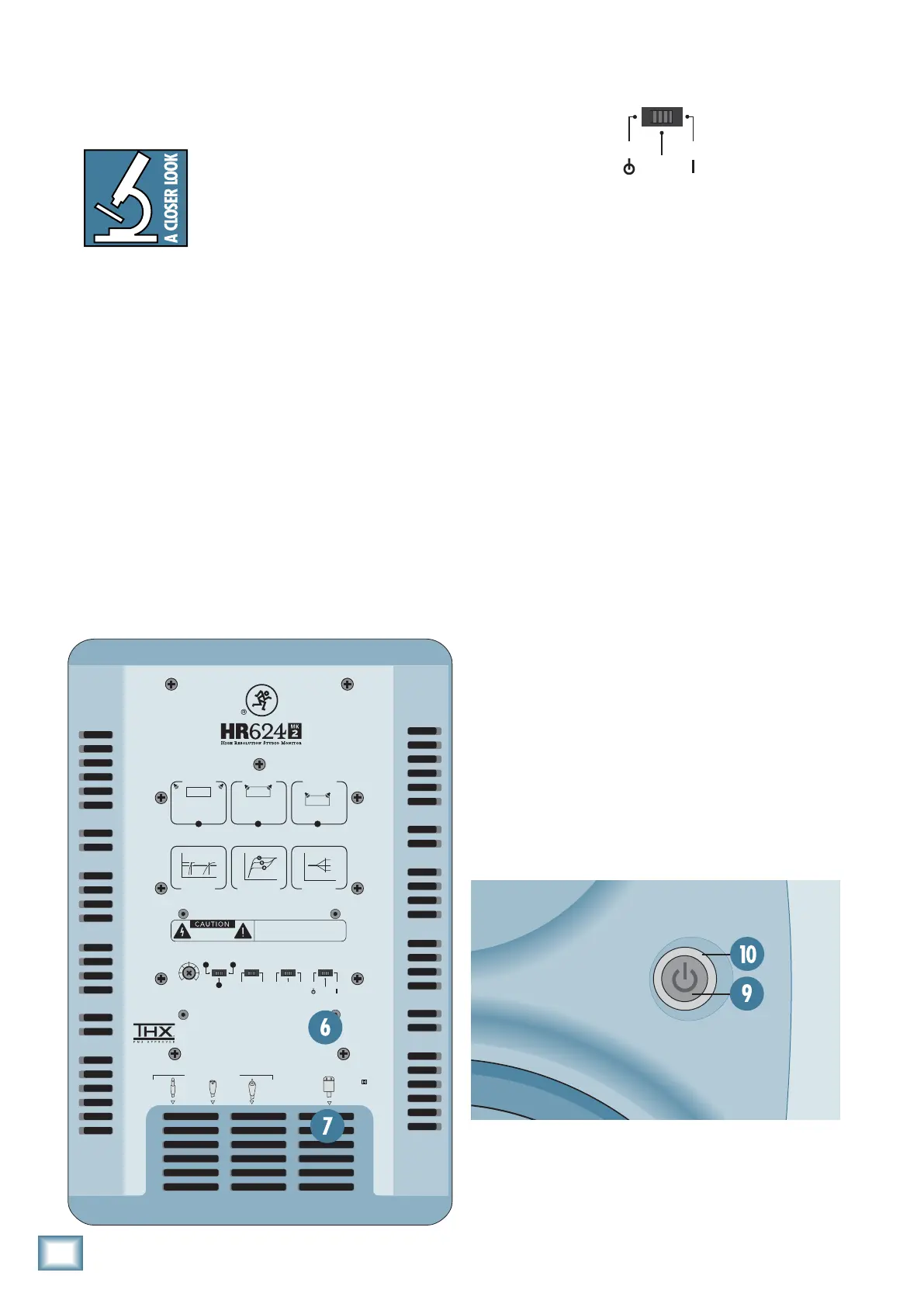
6. POWER MODE
INPUT
SENSITIVITY
–
10dB
NORMALOFF
ACOUSTIC
SPACE
LOW
FREQ FILTER
POWER
AUTO
ON
STANDBY
ON
HIGH
FREQ FILTER
HALF
WHOLE (NORMAL)
QUARTER
80Hz
LOW CUT
49Hz
(NORMAL)
B
AC
This 3-position switch turns the ampliers on or off, or
sets them to automatic mode. Use this switch to set the
HR624 MK2s to your preferred mode of operation, and
use the front panel power
[9]
switch for convenience.
• In the STANDBY position, the power ampliers are in
Standby mode and produce no sound. Low-level circuitry
is still active, but the power consumption of the
circuitry is minimal (12 watts).
• Flip the switch to the ON position and the power
ampliers are live and operate normally. (The front
panel power [9] switch must also be IN.)
• When it’s in the AUTO ON position, the ampliers turn
on and off depending on the presence or absence of an
input signal. An input signal level of –74 dBu
(minimum) activates the auto-on function. A silent
period greater than eight minutes activates the
auto-off function. The power ring [10] on the front
panel reects the state of the ampliers.
ACOUSTIC SPACE
0dB
–
2dB
–
3dB
–
4
dB
20 100Hz
LOW FREQ
LOW CUT
80Hz
HIGH FREQ
0dB
–
2dB
10kHz
+
2dB
ACOUSTIC SPACE APPLICATIONS
SPEAKERS AGAINST WALLSPEAKERS IN CORNERS
CONSOLE
CONSOLE
HALF SPACE
QUARTER SPACE
49Hz
SPEAKERS AWAY
FROM WALLS
CONSOLE
WHOLE SPACE
0
dB
INPUT
SENSITIVITY
–
10dB
NORMALOFF
ACOUSTIC
SPACE
LOW
FREQ FILTER
POWER
MODE
0
(NORMAL)
AUTO
ON
–2dB
+
2dB
STANDBY
ON
HIGH
FREQ FILTER
HALF
WHOLE (NORMAL)
QUARTER
80Hz
LOW CUT
49Hz
(NORMAL)
B
AC
MAINS INPUT
SIGNAL INPUTS BAL/UNBAL
XLRPHONE RCA
CBA
RISK OF ELECTRIC SHOCK
DO NOT OPEN
WARNING:
TO REDUCE THE RISK OF FIRE OR ELECTRIC SHOCK, DO NOT
EXPOSE THIS EQUIPMENT TO RAIN OR MOISTURE. DO NOT REMOVE COVER.
NO USER SERVICEABLE PARTS INSIDE. REFER SERVICING TO QUALIFIED PERSONNEL.
AVIS:
RISQUE DE CHOC ELECTRIQUE — NE PAS OUVRIR



 To Next Page