EasyManua.ls Logo

Tianlong Gentier Series - User Manual

Tianlong Gentier Series
139 pages
Print Icon
To Next Page IconTo Next Page
Loading...
I
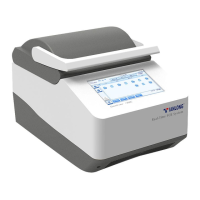
Gentier Real-Time PCR System
User Manual
Xi’an TianLong Science and Technology Co., LTD.
Bring Technology to Life

Table of Contents

Questions and Answers

  • J
    Joseph WagnerAug 5, 2025
    What to do if Tianlong Gentier Medical Equipment shows no display on the screen?
    • N
      Nicole LewisAug 5, 2025
      If your Tianlong Medical Equipment screen is blank, first ensure the device is properly plugged into a power source. Then, verify that the power switch is in the ‘on’ position. Check the power cord connection, reconnecting it or replacing it if necessary. Confirm that the power voltage is within the normal range. If the issue persists, the fuse tube may be damaged and require replacement. If none of these steps resolve the issue, further assistance is needed.
  • V
    vincent05Aug 10, 2025
    What to do if Tianlong Gentier gives no experiment results?
    • R
      Regina GarnerAug 10, 2025
      If your Tianlong Medical Equipment isn't producing experiment results, start by reviewing the operation process and retesting. If the issue continues, the reagents may have quality problems, so renew them and rerun the experiment. Also, verify that the experiment settings meet the necessary requirements and reset the experiment procedure if needed.
  • R
    Robert CrosbyAug 14, 2025
    What to do if Tianlong Medical Equipment system crashed or is out of control?
    • J
      Jacob CaldwellAug 14, 2025
      If the Tianlong Medical Equipment system crashes or becomes unresponsive, begin by restarting the instrument system. If the problem persists, further assistance is needed.
  • H
    Hannah HillAug 26, 2025
    How to troubleshoot temperature not rising while heating in Tianlong Gentier?
    • J
      jonathanreynoldsAug 26, 2025
      If the temperature isn't rising during heating with your Tianlong Medical Equipment, first startup the temperature control by checking the temperature control setting. If the issue continues, further assistance is needed.
  • S
    Sean PooleAug 30, 2025
    What to do if Tianlong Medical Equipment shows abnormal ramp or incorrect temperature?
    • E
      Erika TorresAug 30, 2025
      If your Tianlong Medical Equipment shows an abnormal ramp or incorrect temperature, the air vent might be blocked. Clean up the air vent. If the issue persists, further assistance is needed.
  • K
    Kristen LambSep 10, 2025
    Why does Tianlong Gentier Medical Equipment boot screen display error message?
    • L
      Lindsey FloydSep 12, 2025
      If your Tianlong Medical Equipment displays an error message on the boot screen, it could be due to the system activation failing. It can also happen if the power voltage is too low, so ensure that no other appliance or circuit is sharing the same electrical circuit.

Summary

Safety and Regulatory Compliance

General Instrument Safeties and Precautions

Provides essential safety guidelines for handling and operating the Gentier instrument.

Personal Safeties and Precautions

Outlines safety measures related to personal interaction with the instrument and its components.

Electrical Safeties and Precautions

Details critical safety protocols concerning electrical connections and potential hazards.

Environmental Safeties and Precautions

Specifies environmental conditions and precautions for safe and effective instrument operation.

Biological Safety and Precautions

Addresses safety considerations related to biological samples and biohazard management.

Overview

Application Fields

Defines the intended use and application areas of the Gentier real-time PCR system.

Product Constitute and Instrument Structure

Details the main components and structural elements of the Gentier instrument.

Product Introduction

Provides general information and an overview of the Gentier instrument.

Instrument Parameters and Characters

Details the technical specifications, features, and capabilities of the Gentier instrument.

Software Characters

Describes the user interface, language support, and functional aspects of the Gentier software.

Gentier Instrument Installation

Unpacking Instructions

Provides step-by-step guidance on how to safely unpack the Gentier instrument and its accessories.

Working Environmental Requirements

Defines the necessary environmental conditions for optimal instrument operation and longevity.

Instrument Installation

Guides the user through the process of physically installing the instrument and connecting necessary components.

External Device Connection

Explains how to connect external devices such as the control computer and printer to the instrument.

Application Software Installation

Details the steps for installing the Gentier application software on the control computer.

Computer Network Setting

Guides the configuration of network settings for the control computer to communicate with Gentier instruments.

The Preparation Before Experiment

Instrument Self Inspection

Describes the procedure for performing an initial self-check of the instrument before running experiments.

Reagent Preparation

Provides instructions for preparing the necessary reagents for PCR experiments.

Instrument Loading

Details the steps for loading samples and reagents into the instrument for an experiment.

Application Software Operation

Startup and Main Interface Navigation

Guides launching the software and navigating its main interface, including menus and toolbars.

Experiment Setup and Configuration

Covers configuring experiment parameters, temperature programs, and sample details via Run Setting and Sample Setting.

Run Monitoring and Data Analysis

Facilitates real-time tracking of experiments and performing data analysis using various methods.

Instrument Software Operation

Boot Screen and Main Interface

Describes the initial startup screen and the main interface of the instrument's operating software.

Core Operation Tabs (Experiment File, Run Setting, Monitoring)

Details managing experiment files, configuring run settings, and monitoring real-time progress.

General Settings and Configuration

Covers instrument configuration, network settings, language, and service options.

Instrument Cleaning and Maintenance

Instrument Cleaning Procedures

Provides instructions and precautions for cleaning the Gentier instrument's exterior and interior parts.

Instrument Maintenance Operations

Outlines regular maintenance tasks to ensure the instrument's proper functioning and longevity.

Replace Fuse Tube

Details the procedure for safely replacing the instrument's fuse tube if needed.

Transportation or Return to Factory

Provides guidelines for instrument disinfection and proper packaging for transport or return.

Troubleshooting

Common Errors and Corrective Instructions

Lists common instrument errors, their possible causes, and step-by-step corrective actions.

Critical Situation Handling

Advises immediate actions for critical situations like liquid spills or severe damage.

After-sale Service Commitments

Warranty Service

Outlines the terms and conditions of the warranty period and service coverage for the instrument.

Response Time and Contact Information

Specifies response times for support and provides essential contact details for the manufacturer.

Tianlong Gentier Series Specifications

General IconGeneral
SeriesGentier Series
ManufacturerTianlong
Heating/Cooling TechnologyPeltier
Temperature Accuracy±0.1°C
ConnectivityUSB, Ethernet
Sample Capacity96 wells
Reaction Volume10-100 μL
Temperature Range4°C - 99°C
Detection Wavelengths510-700 nm
Fluorescence Channels4
Power Supply100-240V, 50/60Hz
DisplayTouch screen