89
(5) Schedule Management
Functions: User can move to Schedule Management interface through Schedule
Management under Query Control or shortcut button Schedule Management. From this
interface, user can gain access to all IDUs and implement time management.
Set a single date or weekday from Schedule Management. User can select a single IDU, a
certain group or all air conditioning units.
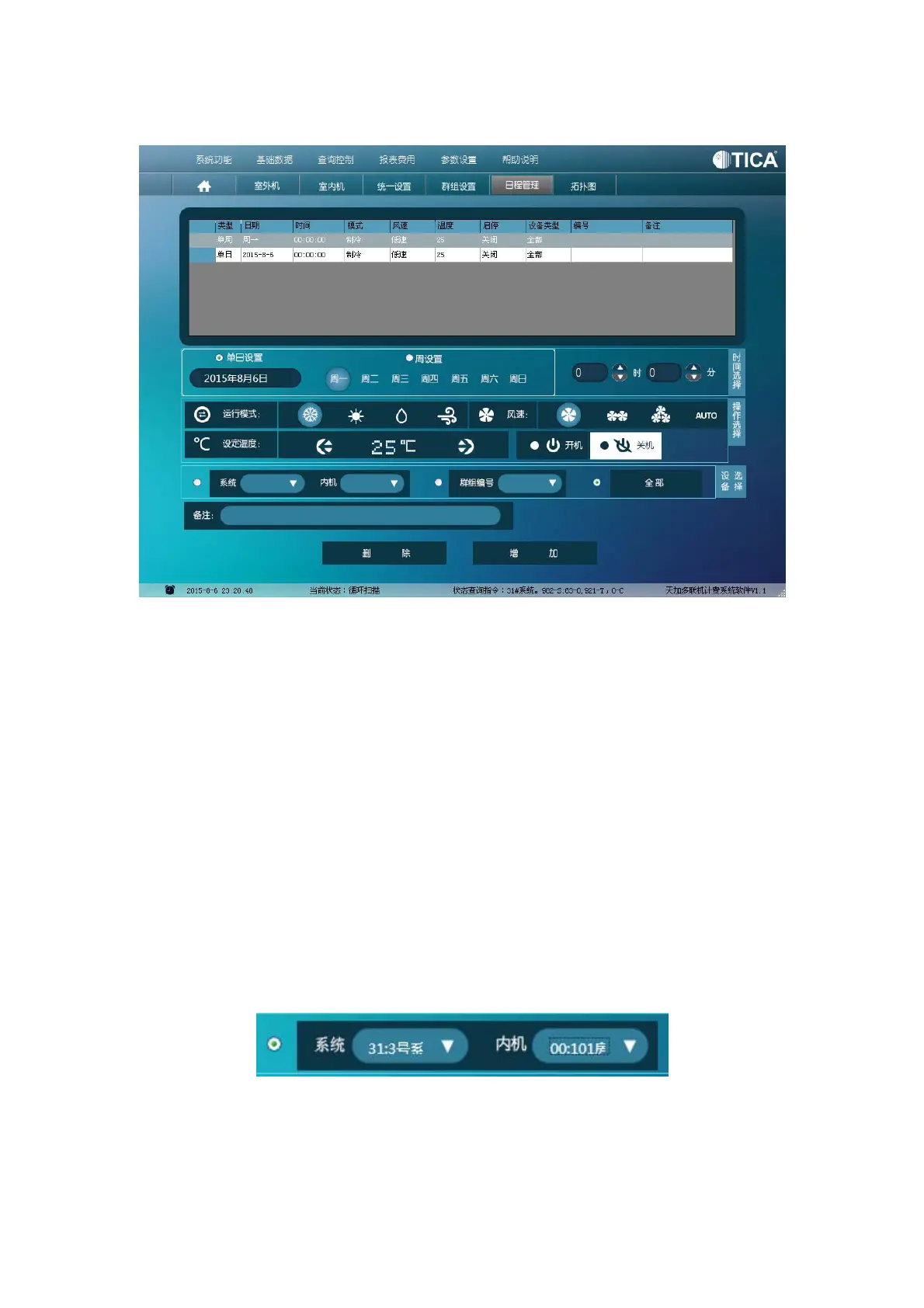
Interface: From top to bottom this interface displays List Area, Time Selection Area,
Operation Selection Area, Equipment Selection Area, Remarks Area and Buttons Area.
List Area displays all schedule management rules that are previously set. Time Area is
where user can set a single date, a weekday or the specific time. Operation Selection
Area is where user implements schedule management, including setting operating mode,
fan speed, temperature, and ON/OFF status.
Equipment Selection Area is where user can select and move some equipment under
schedule management. User can select a single piece of equipment, a group or all
equipment.
Selection of a single piece of equipment



 To Next Page