EasyManua.ls Logo

TigerStop TigerSaw 1000 - User Manual

Default Icon
70 pages
Print Icon
To Next Page IconTo Next Page
Loading...
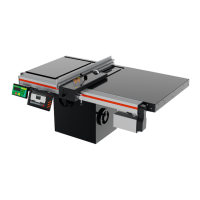
TigerSaw 1000
User Manual
Rev. 0.2

Other manuals for TigerStop TigerSaw 1000

Question and Answer IconNeed help?

Do you have a question about the TigerStop TigerSaw 1000 and is the answer not in the manual?

Summary

TigerSaw Safety Precautions

General Operating Safety

Essential safety information and warnings for operating the TigerStop product.

Installation and Interconnect Safety

Critical safety considerations for installation and interconnects, including regulations.

Safety and Ergonomics Guidelines

Basic TigerSaw Safety Rules

Fundamental safety instructions for operating the TigerSaw, emphasizing caution and respect.

System Requirements and Specifications

Power, Air, and Dust Extraction Specs

Details electrical, air pressure, and dust extraction requirements for the TigerSaw 1000.

TigerSaw 1000 Component Identification

Machine Parts Overview Diagram

Diagram identifying key components of the TigerSaw 1000 machine.

Safety Chain Mechanisms

Kill Switch and Emergency Stop

Function and operation of kill switch and emergency stop buttons for immediate power cut-off.

Kill Line Safety Operation

How to use and reset the kill line for emergency stopping of the saw system.

Safety Chain Adjustments and Interlocks

TigerSaw Systems and Features

Machine Controls - Manual Interface

Manual Controls and System Power

Details manual control buttons, indicator lights, and system power activation.

Machine Controls - Pneumatic Adjustments

Stroke Speed and Clamp Pressure

Adjusting stroke speed, top clamp, and clamp pressure using pneumatic controls.

Machine Controls - Automated Systems

TigerTouch and Standard Controller Interfaces

Overview of TigerTouch and Standard Controller for automated operations.

Machine Controls - Start-Up Procedure

System Initialization Steps

Step-by-step guide for powering on and initializing the TigerSaw 1000.

Standard Controller Operation Basics

Home Routine and Ready Screen

Details the required 'Home Routine' and the 'Ready Screen' interface.

Standard Controller Manual Movement

Manual Movement and Entry Methods

How to manually move the positioner using decimal, fractional, and calculator inputs.

Standard Controller - Increment and Presets

Increment Function and Preset Programming

Using increment function and programming presets for common lengths.

Standard Controller - Preset Usage and Jog

Standard Controller - Quick Calibration

Quick Calibration Procedure

A shortcut method for calibrating the positioner's accuracy.

Standard Controller Menu Navigation

Standard Controller Menu Settings - Calibration

Standard Controller Menu Settings - Limits

End Limits Setup Procedure

Finding and setting minimum and maximum travel limits for the positioner.

Standard Controller Menu Settings - Security

TigerTouch Control System Setup

TigerTouch Startup and Connection

Steps for starting TigerTouch, connecting to machinery, and selecting the device.

TigerTouch Move Screen Operation

Manual Control via Move Screen

Using the Move screen for manual control of equipment and positioner movement.

TigerTouch List Screen Functionality

Processing Cut Lists in TigerTouch

Processing cut lists and loading files using the List screen in TigerTouch.

TigerTouch Options Screen Access

Troubleshooting Common Issues

Movement and Accuracy Problems

Steps to resolve issues with positioner movement and cut accuracy.

Troubleshooting - I;O and Cut Quality

Troubleshooting - Sensor Issues

Troubleshooting - Jam Clearing

Routine Machine Maintenance

Preventative Maintenance Schedule

A daily, weekly, monthly, and quarterly schedule for routine machine maintenance.

Maintenance - Belt Tension and Chip Breaker

Maintenance - Drive Test

Maintenance - Cutting Envelope

Maintenance - Blade Squaring

Maintenance - Saw Blade Replacement

Saw Blade Replacement Guide

Detailed steps for safely removing and installing a new saw blade.

Appendix A: Replacement Parts

Appendix B: Scale Adjustment Procedures

Appendix E: Scanning Defecting Pusher Foot

Appendix E: TigerTouch Defect Processing

Appendix E: Defect Only Mode

Appendix E: FS Sensor Calibration

Summary

TigerSaw Safety Precautions

General Operating Safety

Essential safety information and warnings for operating the TigerStop product.

Installation and Interconnect Safety

Critical safety considerations for installation and interconnects, including regulations.

Safety and Ergonomics Guidelines

Basic TigerSaw Safety Rules

Fundamental safety instructions for operating the TigerSaw, emphasizing caution and respect.

System Requirements and Specifications

Power, Air, and Dust Extraction Specs

Details electrical, air pressure, and dust extraction requirements for the TigerSaw 1000.

TigerSaw 1000 Component Identification

Machine Parts Overview Diagram

Diagram identifying key components of the TigerSaw 1000 machine.

Safety Chain Mechanisms

Kill Switch and Emergency Stop

Function and operation of kill switch and emergency stop buttons for immediate power cut-off.

Kill Line Safety Operation

How to use and reset the kill line for emergency stopping of the saw system.

Safety Chain Adjustments and Interlocks

TigerSaw Systems and Features

Machine Controls - Manual Interface

Manual Controls and System Power

Details manual control buttons, indicator lights, and system power activation.

Machine Controls - Pneumatic Adjustments

Stroke Speed and Clamp Pressure

Adjusting stroke speed, top clamp, and clamp pressure using pneumatic controls.

Machine Controls - Automated Systems

TigerTouch and Standard Controller Interfaces

Overview of TigerTouch and Standard Controller for automated operations.

Machine Controls - Start-Up Procedure

System Initialization Steps

Step-by-step guide for powering on and initializing the TigerSaw 1000.

Standard Controller Operation Basics

Home Routine and Ready Screen

Details the required 'Home Routine' and the 'Ready Screen' interface.

Standard Controller Manual Movement

Manual Movement and Entry Methods

How to manually move the positioner using decimal, fractional, and calculator inputs.

Standard Controller - Increment and Presets

Increment Function and Preset Programming

Using increment function and programming presets for common lengths.

Standard Controller - Preset Usage and Jog

Standard Controller - Quick Calibration

Quick Calibration Procedure

A shortcut method for calibrating the positioner's accuracy.

Standard Controller Menu Navigation

Standard Controller Menu Settings - Calibration

Standard Controller Menu Settings - Limits

End Limits Setup Procedure

Finding and setting minimum and maximum travel limits for the positioner.

Standard Controller Menu Settings - Security

TigerTouch Control System Setup

TigerTouch Startup and Connection

Steps for starting TigerTouch, connecting to machinery, and selecting the device.

TigerTouch Move Screen Operation

Manual Control via Move Screen

Using the Move screen for manual control of equipment and positioner movement.

TigerTouch List Screen Functionality

Processing Cut Lists in TigerTouch

Processing cut lists and loading files using the List screen in TigerTouch.

TigerTouch Options Screen Access

Troubleshooting Common Issues

Movement and Accuracy Problems

Steps to resolve issues with positioner movement and cut accuracy.

Troubleshooting - I;O and Cut Quality

Troubleshooting - Sensor Issues

Troubleshooting - Jam Clearing

Routine Machine Maintenance

Preventative Maintenance Schedule

A daily, weekly, monthly, and quarterly schedule for routine machine maintenance.

Maintenance - Belt Tension and Chip Breaker

Maintenance - Drive Test

Maintenance - Cutting Envelope

Maintenance - Blade Squaring

Maintenance - Saw Blade Replacement

Saw Blade Replacement Guide

Detailed steps for safely removing and installing a new saw blade.

Appendix A: Replacement Parts

Appendix B: Scale Adjustment Procedures

Appendix E: Scanning Defecting Pusher Foot

Appendix E: TigerTouch Defect Processing

Appendix E: Defect Only Mode

Appendix E: FS Sensor Calibration

TigerStop TigerSaw 1000 Specifications

General IconGeneral
ModelTigerSaw 1000
Maximum Material Width1000 mm
Infeed Material SupportOptional roller tables
Outfeed Material SupportOptional roller tables
Frequency60 Hz

Related product manuals