4
3.3
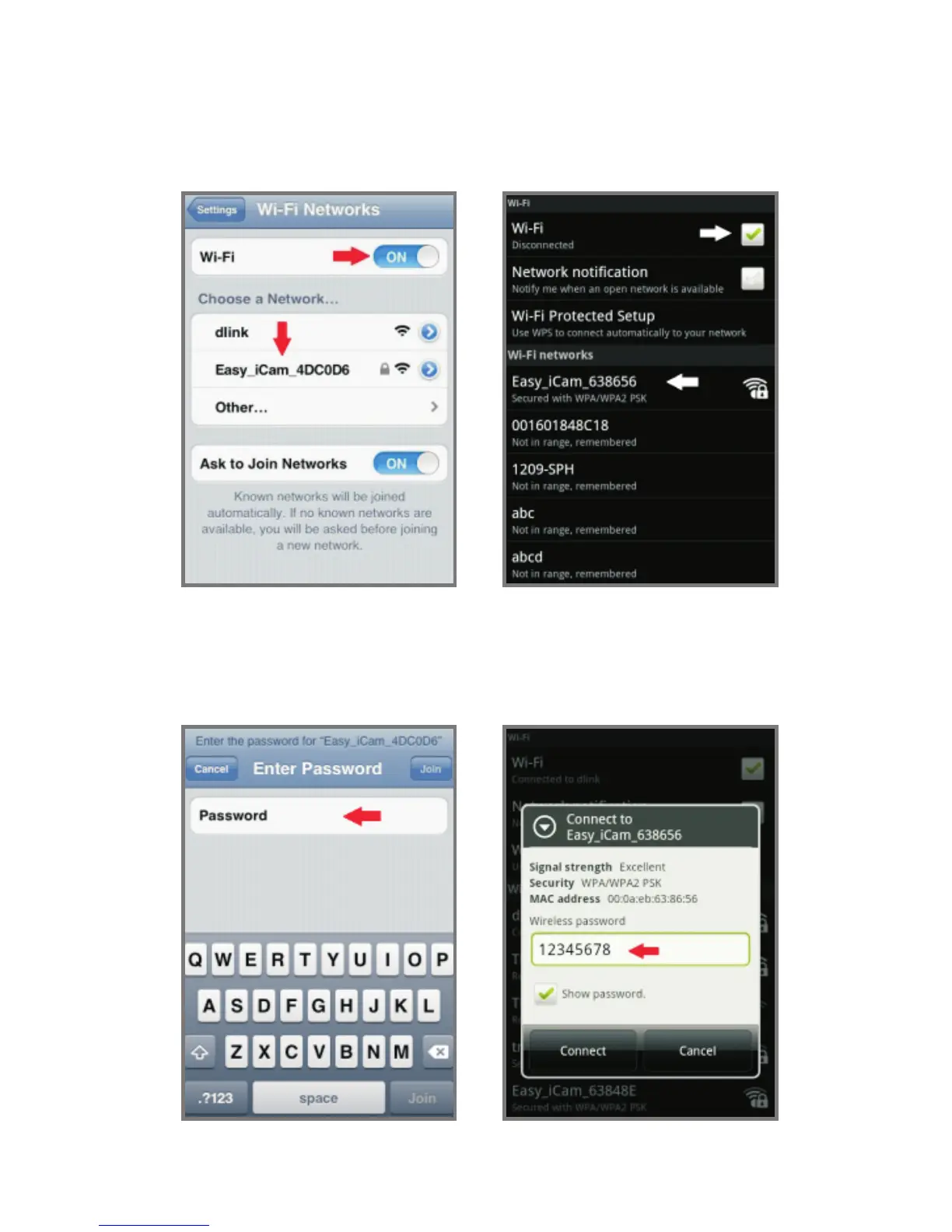
Connect your smartphone or tablet to the camera
1. Turn on the Wi-Fi of your smartphone or tablet.
2. Tap the screen to select “Easy_iCAM_XXXXXX”
under Wi-Fi Networks.
3. Enter the password for
“Easy_iCAM_XXXXXX” and the default password is
“12345678”.
iPhone / iPad Android system
iPhone / iPad Android system


 To Next Page