3
First-time Setup
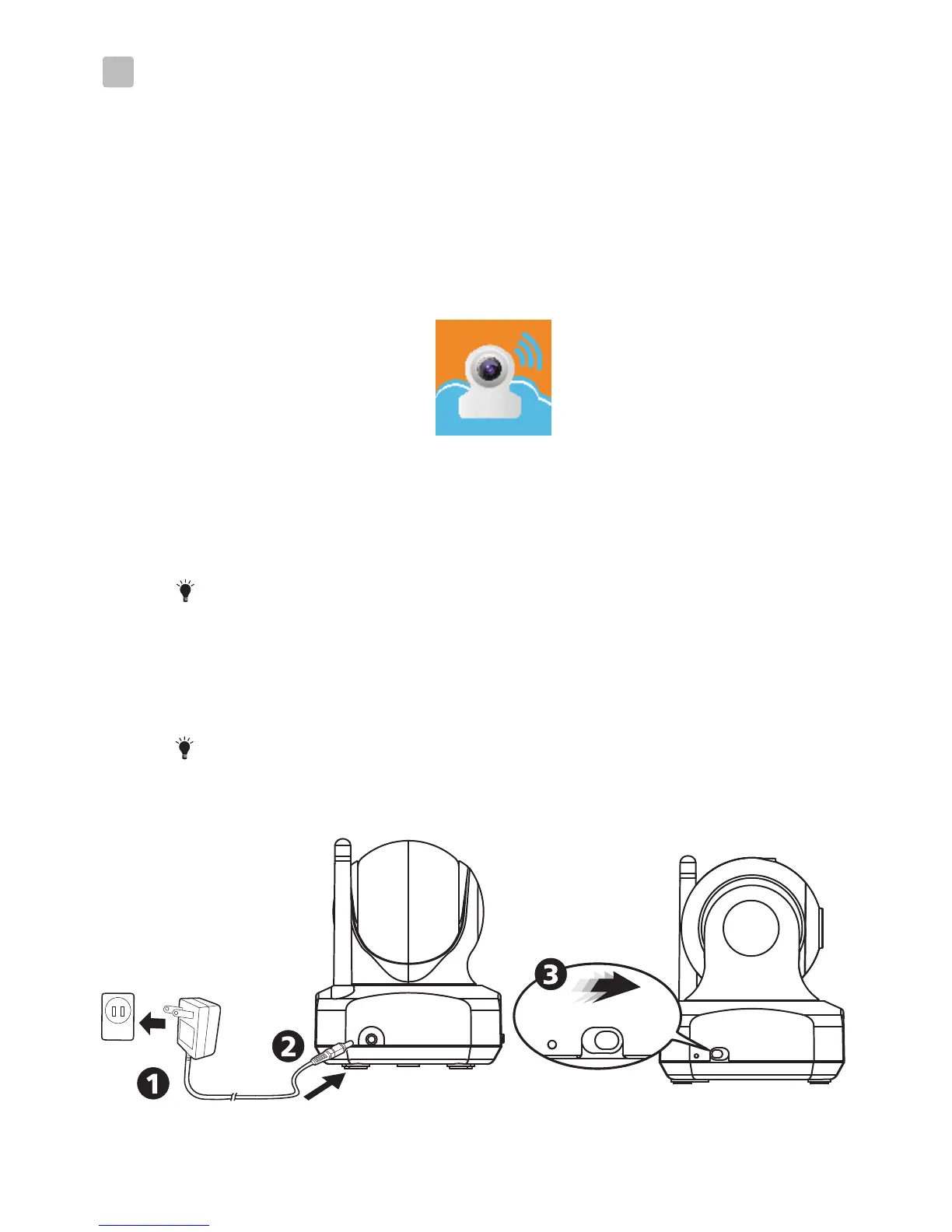
Power on the camera
1. Plug one end of the provided power adapter into a wall
outlet and the other end into the back of the camera.
Note : Use the adapter labeled OUTPUT: 6V DC with
the camera.
2. Slide the Power ON/OFF switch to the ON position.
The LED on the camera will glow orange and then
changes to red.
Note : When you power the camera on, it takes around
40 to 60 seconds for initial setup.
OF F ON
Before the setting up
3.2
3.1
1. Make sure your Wi-Fi router is turned on and it can connect
to the internet.
2. Download the App of Easy iCAM:
Key in the keyword “Easy iCAM” and download the
App from Apple App Store or Android Market
(Google Play).
3


 To Next Page