5
Setting Up Your Tile
1. Turn on Bluetooth on your phone under settings.
2. Download the Tile app from the App Store or
Google Play Store.
3. Register your account.
4. Setup your first Tile by pressing the “+” sign in the
left corner.
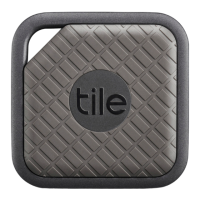
5. Press the button on the front of your Tile to pair
it to the app.
Ringing Your Tile*
1. Open up the Tile app to find your list of Tiles.
2. Tap the Tile that you are looking for and
want to ring.
3. Tap the green “Find” button.
4. Listen for your Tile tune.
5. After you’ve found your Tile, tap the blue
“Done” button to make your Tile stop ringing.
* Note: You need to be in Bluetooth range (up to 200 ft.) and connected
to your Tile to ring it. You can tell if you’re in range by the color of the ring
surrounding the Tile icon in your app. If it’s green, you’re good to go!


 To Next Page
 Loading...