6
Ringing Your Phone (Reverse Ring)
1. Double press the circle button on your Tile. If your lost
phone is within Bluetooth range*, it will ring loudly—even
on silent.
2. If your phone is lost and it’s far away, finding it is still
easy. Log into your account on our website to see your
phone’s last known location, to make it ring, or to send a
lock-screen message to whomever might have found it.
* Note: Phone must be within Bluetooth range in order to reverse ring
your phone
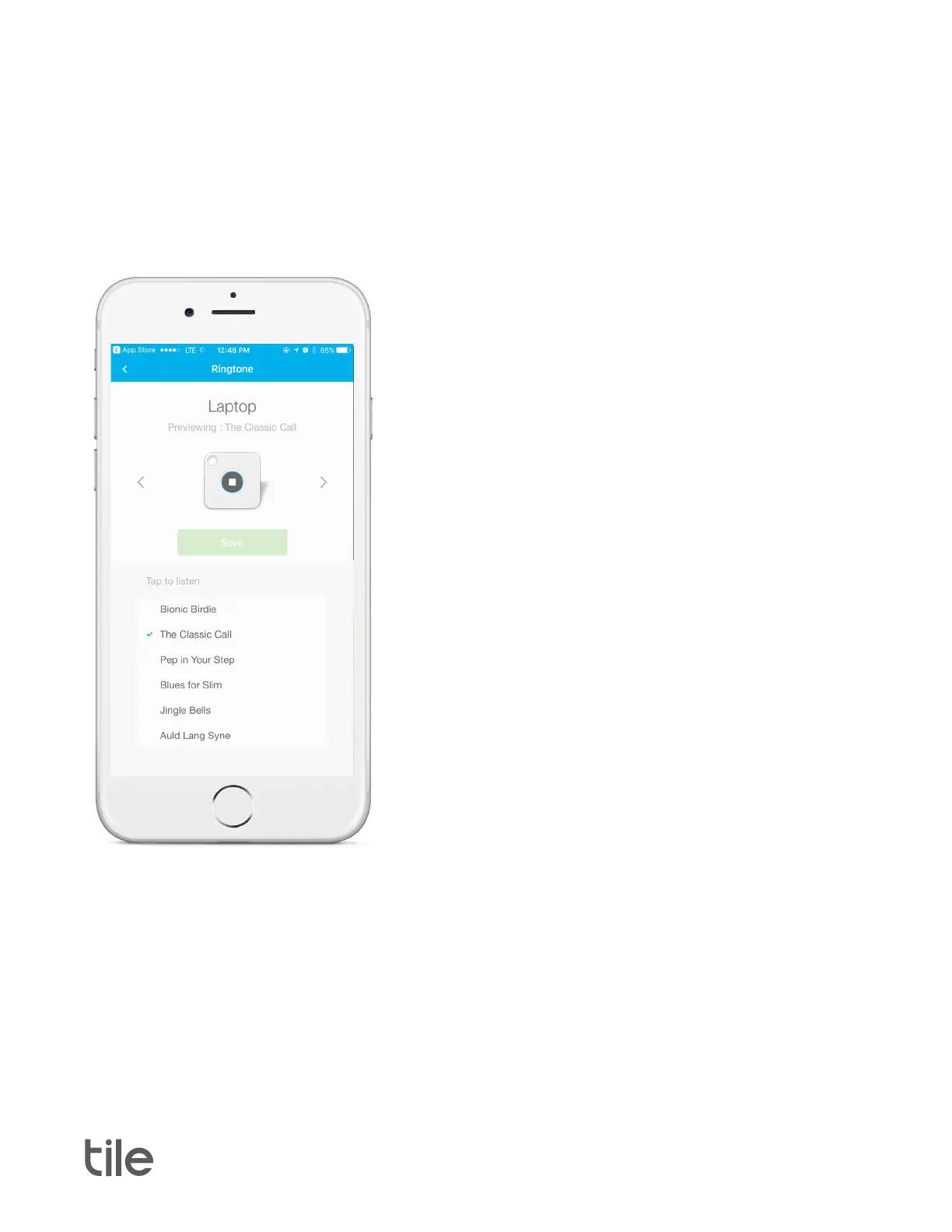
Selecting Your Tile Ringtone
1. Tap the Tile you would like to select a ringtone for.
2. Tap “Options”, then “Details” and then “Ringtone”.
3. Preview the available ringtones and tap “Save” for
your favorite.
4. Your ringtone will begin to download onto your Tile,
which may take up to 20 seconds.


 To Next Page