
 Need help?
Do you have a question about the tilgin HG2501 and is the answer not in the manual?
Verify the included items: router, power adapter, and network cable.
Connect the router to your broadband outlet and power using the provided cables.
Connect computers or other devices to the router's LAN ports via network cables.
Activate and connect to the router's wireless network using SSID and password.
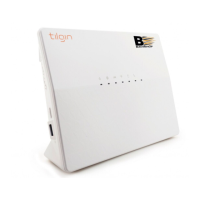
Details on the status lights and ports located on the front of the router.
Instructions for accessing the router's web-based configuration interface.
Guidance on extending WiFi coverage with Mesh extenders.
Solutions for common issues including power, connectivity, and indicator lights.
 General
| Device Type | Wireless Router |
|---|---|
| Wireless Technology | 802.11n |
| Wireless Standard | IEEE 802.11b/g/n |
| Wireless Frequency Bands | 2.4 GHz |
| Maximum Wireless Speed | 300 Mbps |
| WLAN data rate | up to 300 Mbps |
| Standards | IEEE 802.11b/g/n |
| WAN Ports | 1 |
| LAN Ports | 4 |
| USB ports | 1 |
| Wireless Data Rates | up to 300 Mbps |
| Ports | 4 x LAN |
| Security | WPA, WPA2, WEP |
| Power Supply | 12V/1A |
| LAN Port Type | 10/100 Mbps Ethernet |
| Antenna | 2 external antennas |

 To Next Page