EasyManua.ls Logo

TimberBlindsMetroShade Motorized Sheer Remote Control - User Manual

Default Icon
20 pages
Print Icon
To Next Page IconTo Next Page
Loading...
Guide
Remote Control
Battery Powered
Motorized
Window Shadings

Questions and Answers

  • D
    Dennis MahoneyJul 27, 2025
    How to fix TimberBlindsMetroShade Remote Control when window shading does not operate?
    • L
      lopezalexandraJul 27, 2025
      If your TimberBlindsMetroShade Remote Control isn't operating your window shading, first ensure the indicator light illuminates when you attempt to use it. If the light doesn't come on, replace the batteries. If the shading still doesn’t respond, verify it has power. For battery-powered shades, replace the batteries in the wand or satellite pack. If powered by a DC supply, check that it's plugged in and the outlet has power. If the remote batteries are good and manual control works, a red indicator light means check “No infrared operation” and a steady green light means check “No radio control operation”. A flashing green light means you should wait 30 seconds or use a paperclip to press and release the SETUP button to exit setup mode.
  • K
    Kara RichardsJul 31, 2025
    What to do if TimberBlindsMetroShade Remote Control causes window shading to operate unexpectedly?
    • S
      Seth VasquezJul 31, 2025
      If your TimberBlindsMetroShade Remote Control causes unexpected window shading operation, and the indicator light is red, refer to “Unexpected infrared operation”. If the indicator light is green, see “Unexpected radio control operation”. If you're not pressing any buttons, ensure no one else is using a backup remote.
  • G
    Gregory WebbAug 4, 2025
    How to troubleshoot TimberBlindsMetroShade Remote Control with no infrared operation?
    • E
      erichernandezAug 4, 2025
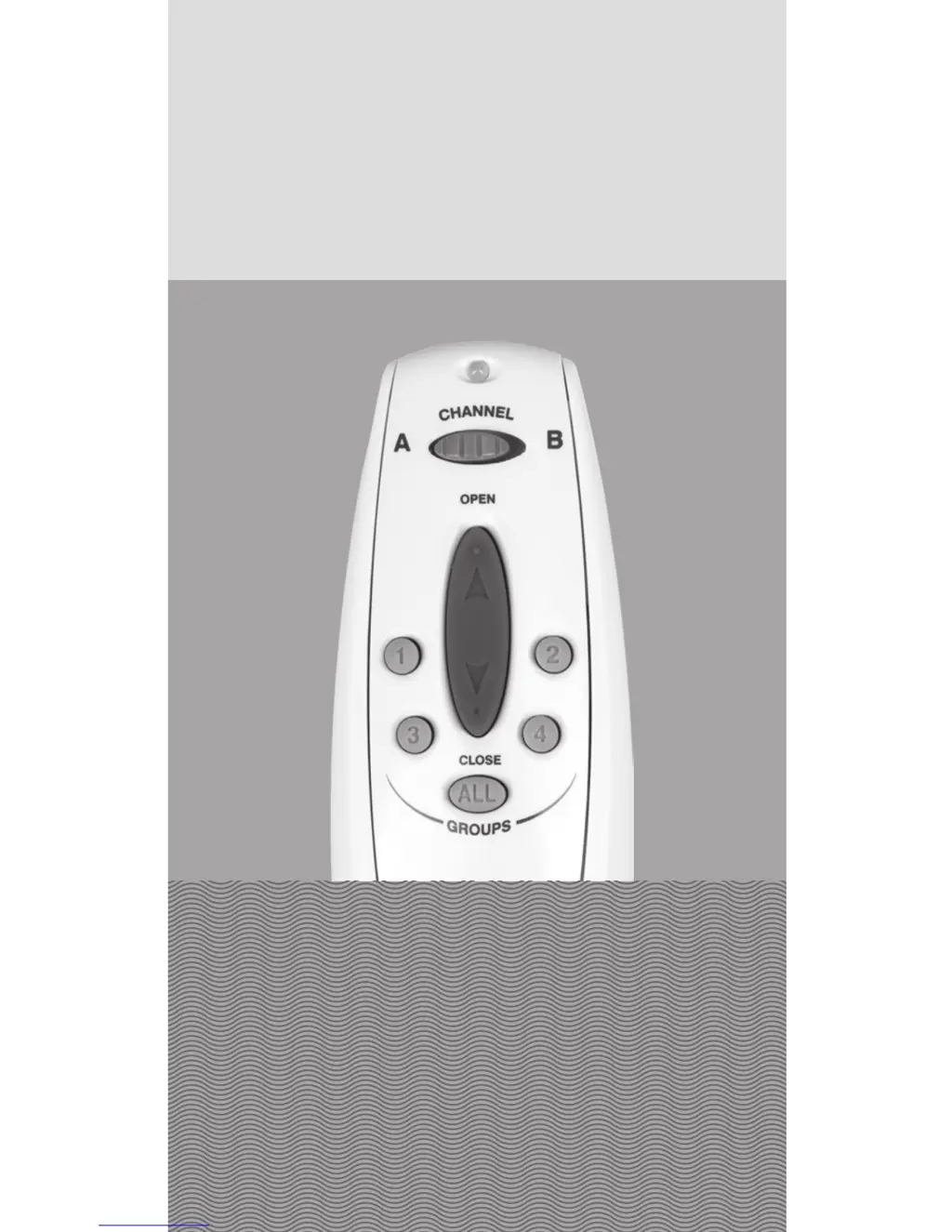
      To troubleshoot TimberBlindsMetroShade Remote Control infrared operation, ensure you're pointing the remote at the sensor eye from a close distance, without any obstructions or direct sunlight. Also, verify that the correct channel is selected on the remote. If Channel A doesn't work, switch to Channel B.
  • J
    Joshua DawsonAug 9, 2025
    What to do for unexpected infrared operation with TimberBlindsMetroShade Motorized Sheer?
    • H
      Holly FloresAug 9, 2025
      To resolve unexpected infrared operation with your TimberBlindsMetroShade Remote Control, move closer to the sensor eye of the intended window shading. Try angling the remote slightly away from window shadings you don't want to control. If issues persist, consider switching to radio control operation.
  • M
    Mr. James EspinozaAug 13, 2025
    How to fix TimberBlindsMetroShade Motorized Sheer with no radio control operation?
    • D
      davisevanAug 13, 2025
      To troubleshoot TimberBlindsMetroShade Remote Control radio control operation, ensure you've added the window shading to a group and have selected the correct group button. Press the OPEN or CLOSE button within 5 seconds of pressing the group button. Also, try operating the window shading from different locations.
  • N
    Nathan SimpsonAug 17, 2025
    What to do for unexpected radio control operation of TimberBlindsMetroShade Motorized Sheer Remote Control?
    • V
      veronica20Aug 17, 2025
      To address unexpected radio control operation with your TimberBlindsMetroShade Remote Control, ensure you've selected the correct group for operation. If the indicator light isn't a steady green when pressing OPEN or CLOSE, press a group button within five seconds before pressing OPEN or CLOSE to ensure you are using radio control.
  • J
    jonathan11Aug 21, 2025
    What to do if TimberBlindsMetroShade Motorized Sheer window shading does not open or close fully?
    • J
      John RiveraAug 22, 2025
      To address incomplete opening, closing, or unwanted stops with your TimberBlindsMetroShade window shading, ensure the shading's operation isn't obstructed. You can also reset the window shading.

Summary

Getting Started

Sensor Eye Location

Basic Operation

Radio Control

Radio Control Operation

How to operate window shadings using the radio control function.

Intermediate Stops

Troubleshooting

Window Shading Not Operating

Steps for when the shading fails to respond to the remote.

No Infrared Operation

Troubleshooting steps for infrared signal issues.

No Radio Control Operation

Troubleshooting steps for radio control signal issues.

Unintended Operation

Addressing unintentional shading activation.

Resetting a Window Shading

Procedure to clear all stops and reset motor limits.

TimberBlindsMetroShade Motorized Sheer Remote Control Specifications

General IconGeneral
BrandTimberBlindsMetroShade
ModelMotorized Sheer Remote Control
CategoryRemote Control
LanguageEnglish