ENGLISH
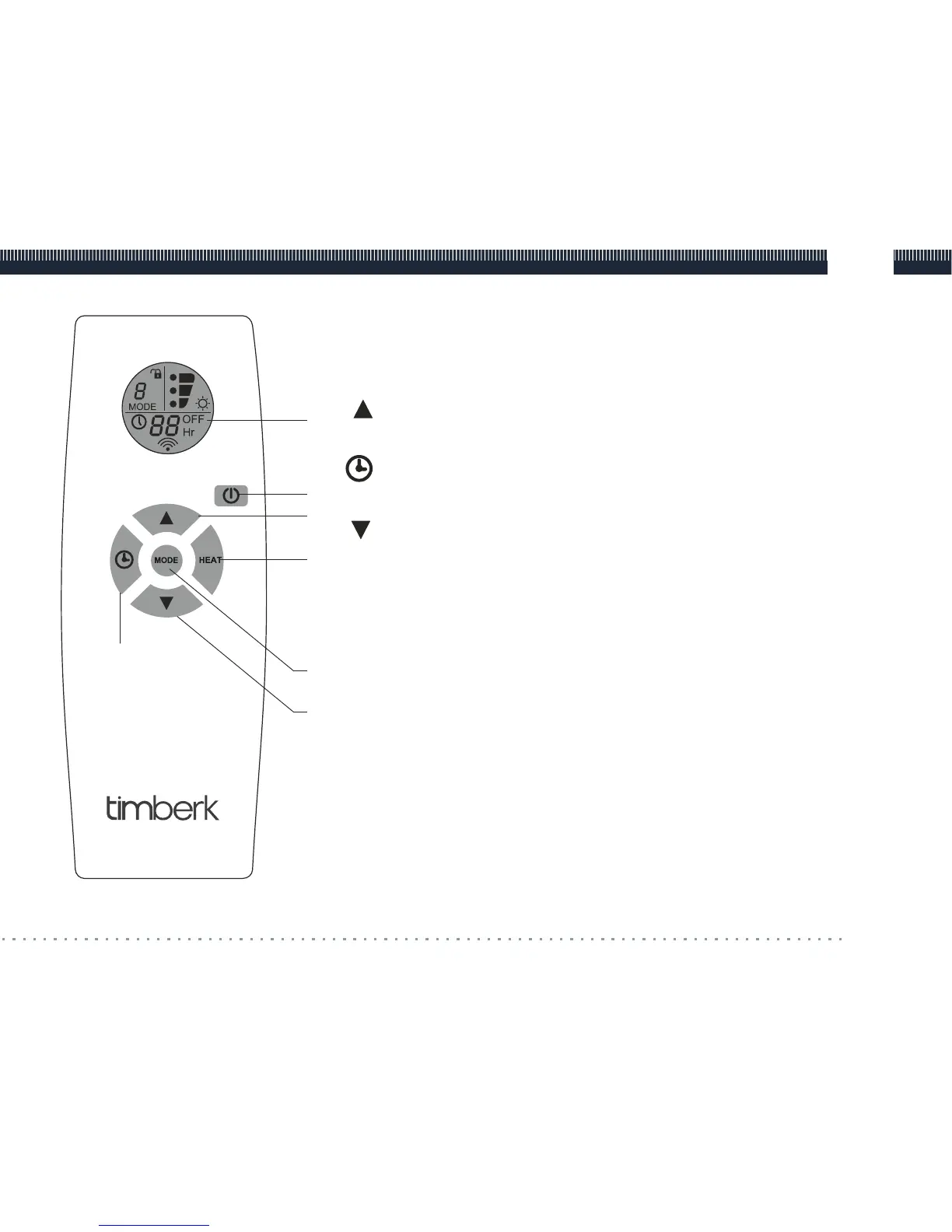
1. LCD-display
Timer's time value and symbols of unit operation and
functions are shown on the display.
2. « » Button
It is used to increase the selected value.
3. « » Button
It is used to activate timer.
4. « » Button
It is used to decrease the selected value.
5. ON/OFF button
It is used to switch an infrared heater on and o.
6. MODE button
It is used to program modes in accordance with the infrared
heater model.
7. HEAT button
It is used to select heating power modes (except TCH A2).
Fig. 3
7www.timberk.com remote control block
1
5
2
7
6
4
3



 To Next Page