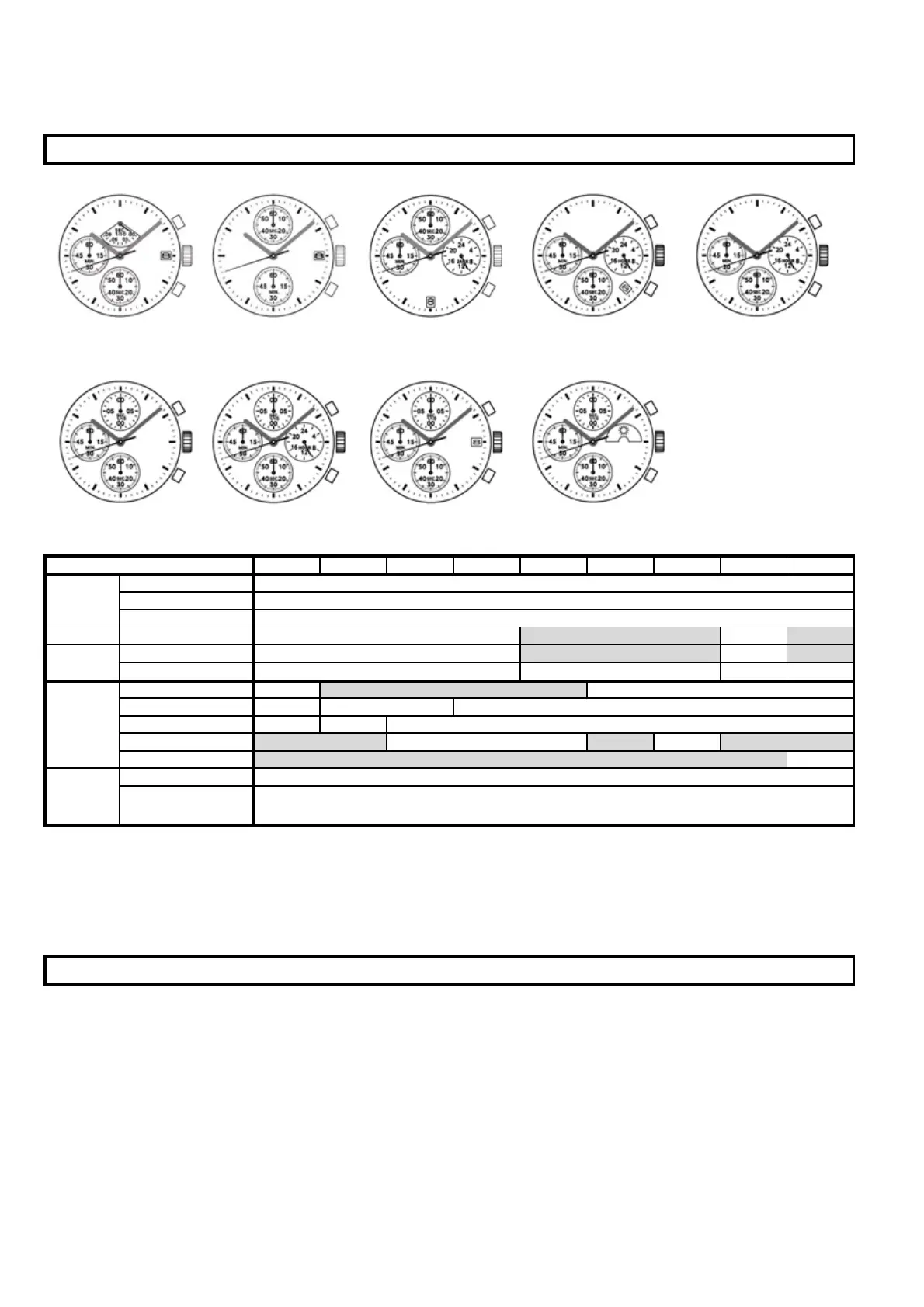
VD50 VD51 VD52 VD53 VD54 VD55 VD56 VD57 VD59
Time setting
2nd click 1st click
Reset/ split/ split
release
* VD50 is with retrograde chrono 1/10 second at 12H sub-dial
1) The measurement time indicated by the stopwatch hands move independently of the center hands.
2) Chrono 1/10 sec : The stopwatch 1/10 second hand moves for a first minute. After one minute, it indicates the
measurement time when it is stopped. (applicable to VD50, VD55, VD56, VD57, VD59)
* Before setting the time, check if all the chronograph hands - 1/10 second (where applicable), second, minute -
are at the "0"(12 o'clock) position.
* If the stopwatch is in use, press the buttons in the following order to reset it, and then, check if the hands return
to "0" position. (For details , see "HOW TO USE THE STOPWATCH")
* If the chronograph is counting : A -> B
* If the stopwatch is stopped : B
* If the split time is displayed : B -> A -> B
OPERATION MANUAL OF VD5 CHRONOGRAPHS
DISPLAY AND CROWN / BUTTON OPERATION
ADJUSTING THE STOPWATCH HAND POSITION



 To Next Page