12 13
8. Removing your device(s)
You can remove the camera from your account. For example, if you’re giving
away your camera or transferring ownership of the product. You need to do
this first so that someone else can set it up under their own account.
Once the camera is removed, all activity history including recordings related
to the camera will be erased apart from what is saved locally on your mobile
or tablet device’s gallery and the SD card connected to the camera (SD card
not included). Make sure to download and archive all content prior to removing
the device or handing the product over to another user.
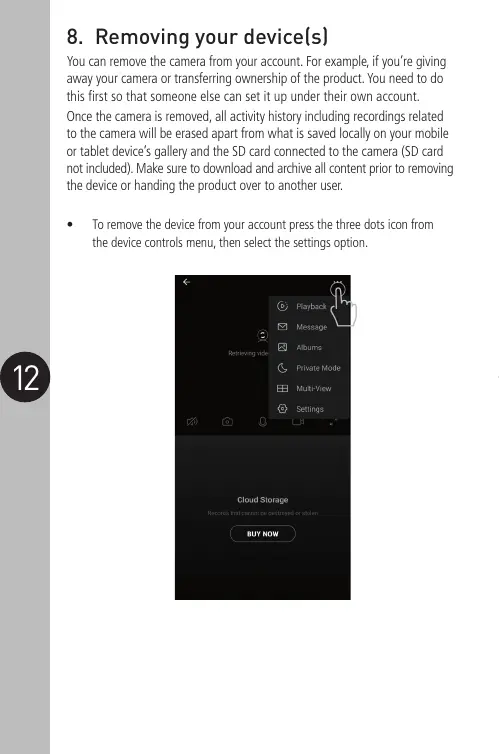
• To remove the device from your account press the three dots icon from
the device controls menu, then select the settings option.


 To Next Page
 Loading...