15 16
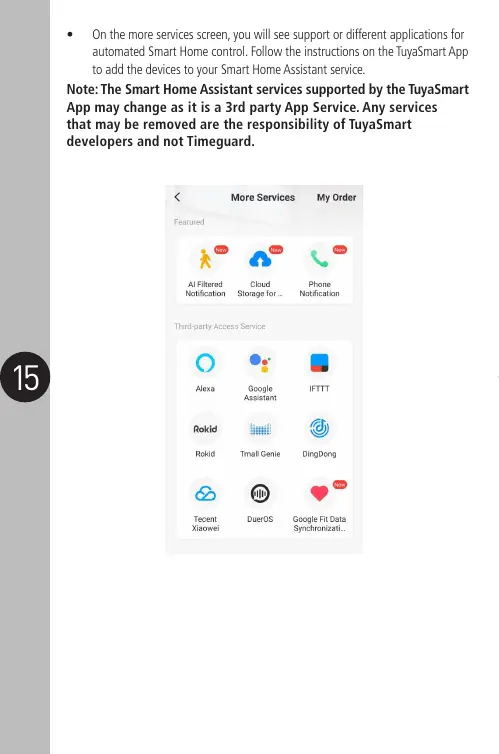
• On the more services screen, you will see support or different applications for
automated Smart Home control. Follow the instructions on the TuyaSmart App
to add the devices to your Smart Home Assistant service.
Note: The Smart Home Assistant services supported by the TuyaSmart
App may change as it is a 3rd party App Service. Any services
that may be removed are the responsibility of TuyaSmart
developers and not Timeguard.


 To Next Page