4
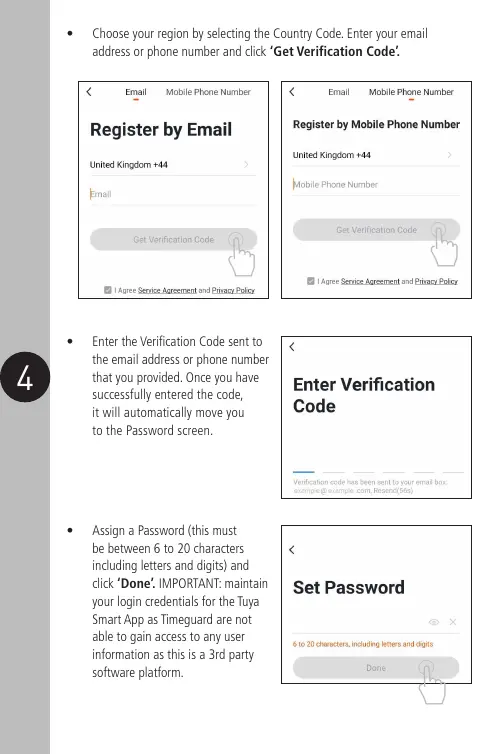
• Choose your region by selecting the Country Code. Enter your email
address or phone number and click ‘Get Verification Code’.
• Assign a Password (this must
be between 6 to 20 characters
including letters and digits) and
click ‘Done’. IMPORTANT: maintain
your login credentials for the Tuya
Smart App as Timeguard are not
able to gain access to any user
information as this is a 3rd party
software platform.
• Enter the Verification Code sent to
the email address or phone number
that you provided. Once you have
successfully entered the code,
it will automatically move you
to the Password screen.


 To Next Page
 Loading...