11 To Set Programme ON/OFF Times
(after clock setting)
It must be remembered that the unit has a total of six programmes.
i The user is now able to set the day(s) that the first programme will operate on.
The alternatives are:
1 2 3 4 5 6 7
●
●
●
●
●
= 5 days (Weekdays) Mo Tu We Th Fr
●
●
= 2 days (Weekend) Sa Su
●
●
●
●
●
●
●
= 7 days (Everyday) Mo Tu We Th Fr Sa Su
●
= Individual days starting with Mo through to Su
Initially dots 1 to 5 flash indicating that if this option were selected,
the programme times about to be entered would operate over the
five weekdays. If another option is required, the <change> button
should be pressed until the correct day(s) flash.
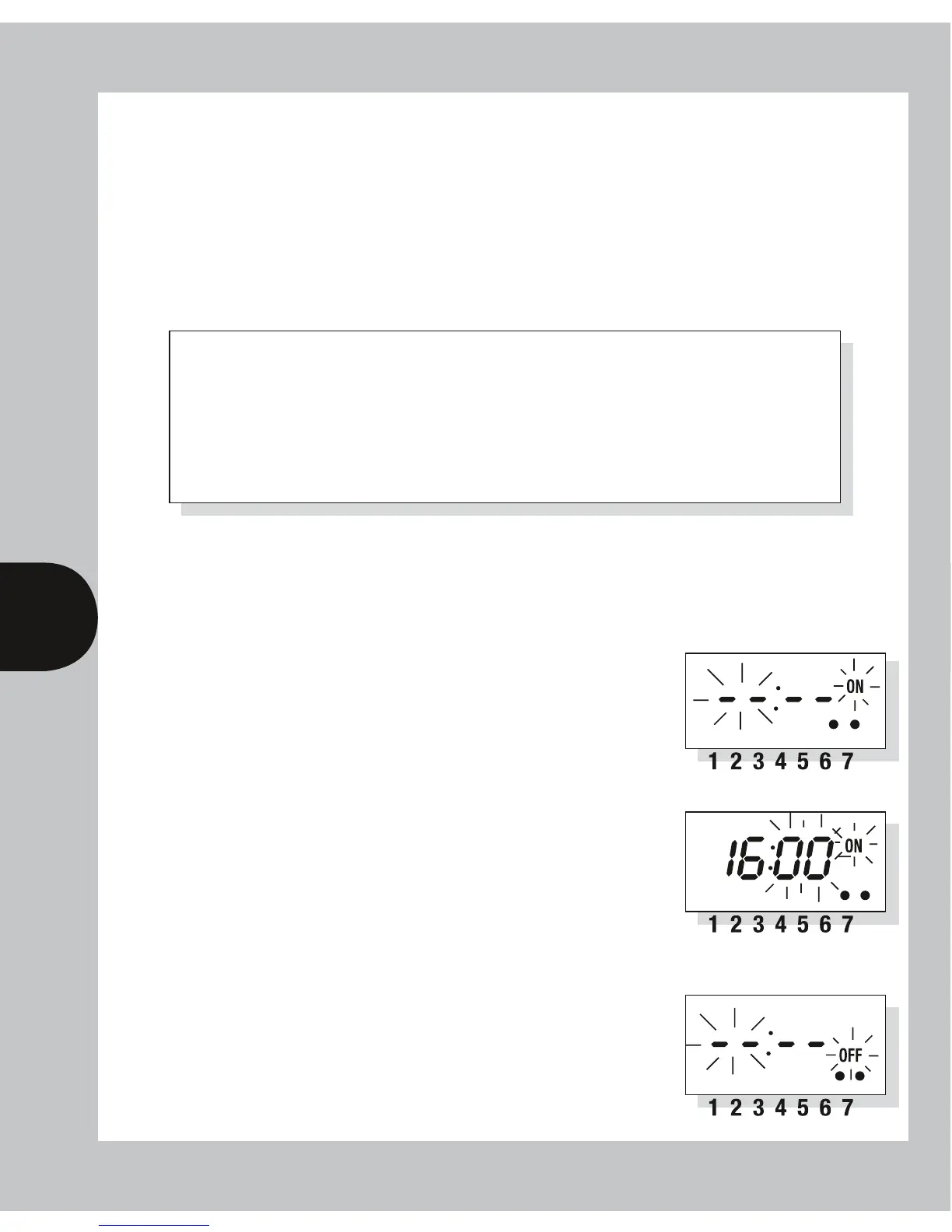
ii Once the day option has been selected press <Program>
button briefly to select hour time – display shows hour
digits and ON flashing. Press <Change> button to
advance hour setting. (Note: 2 days (Sat & Sun)
shown as examples of days set.)
iii Press <Program> button briefly to select minutes –
display shows minute digits and ON flashing. Press
<Change> button to advance minute setting.
(Note: 16 hours shown as example of hours set).
iv Press <Program> button briefly – the first ON time
is now set and display shows ready for the first OFF
programme time.
v Now set the hours and minutes as before.
The day(s) selected remains the same.


 To Next Page