Setting clock
Programme 1 ON
Programme 1 OFF
Programme 2 ON
Programme 2 OFF
Programme 3 ON
Programme 3 OFF
Programme 4 ON
Programme 4 OFF
Programme 5 ON
Programme 5 OFF
Programme 6 ON
Programme 6 OFF
Operation Mode
Programming sequence
Note: Pauses between button presses greater than 1 minute during
programming will result in automatic return to the operating mode.
10. Setting Clock (after reset)
i Day Setting – Press <Change> button to advance to the day required.
Day 1 = Monday and Day 7 = Sunday.
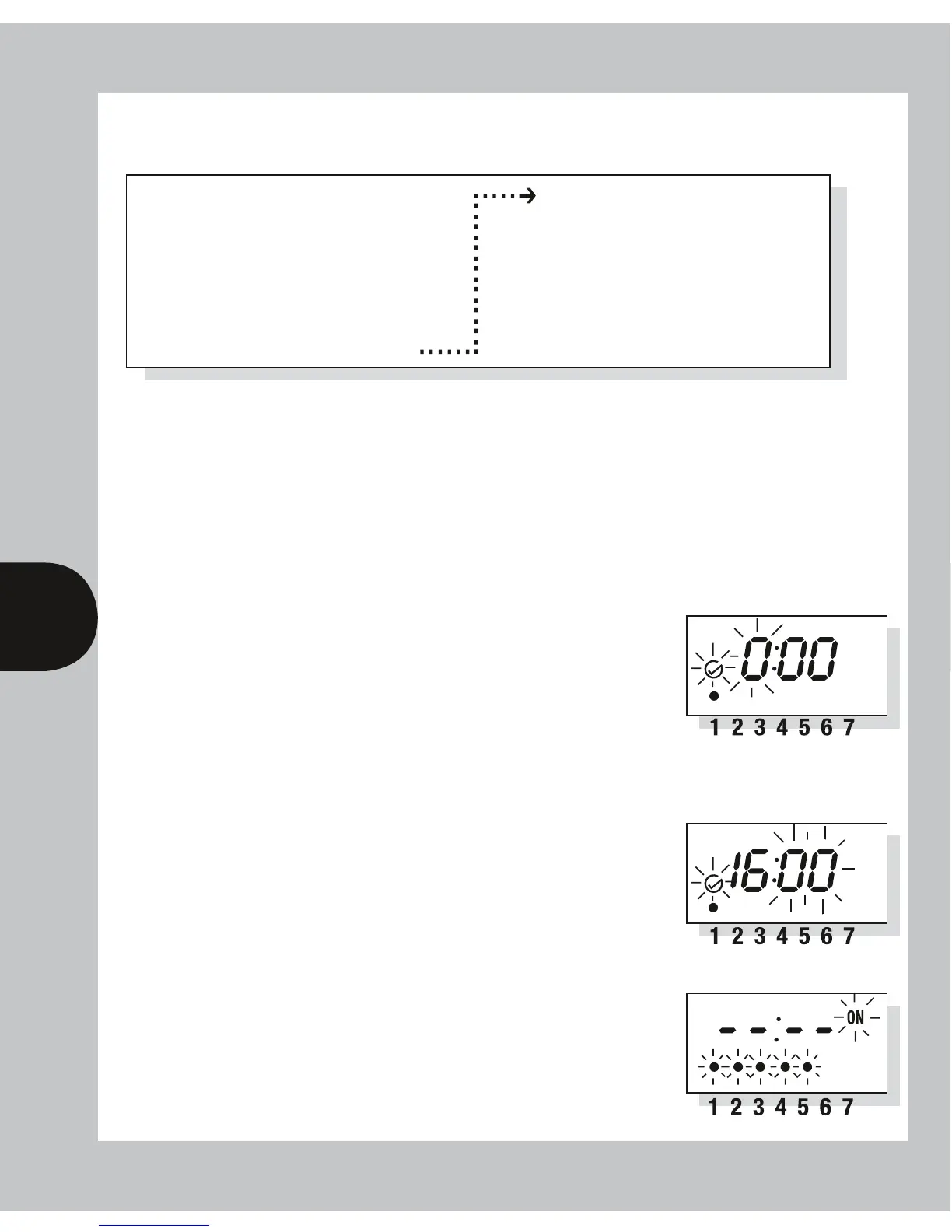
ii Hour Setting – Press the <Program> button briefly
to select the hours – display shows clock symbol and
the hours digits flashing.
Press the <Change> button to advance the hour
setting. For rapid hours selection press and hold down
<Change> button. (Note: Monday shown as example
of day set.)
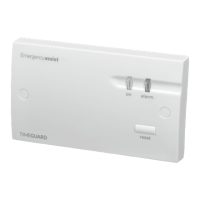
iii Minute Setting – Press the <Program> button briefly
to select the minutes – display shows clock symbol and
minute digits flashing. Press the <Change> button
to advance the minutes setting. For rapid minute
selection press and hold down <Change> button.
(Note: 16 hours shown as example of hours set)
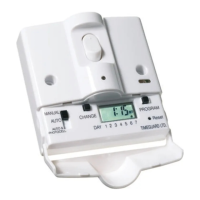
iv Press <Program> button briefly – clock is now
set and display shows ready for the first ON
programme time.


 To Next Page