5
LET’S PLAY!
• On the back of the player, switch the power button to the ON
position. See FIG. 3
• By default, TIMIO is set to the English language. To select a
different language, place and hold your finger on the globe icon
for 3 seconds. TIMIO will say all the available languages one
by one. Release your finger when you reach your desired
language. See FIG. 4
• There are 3 volume settings: low, medium and high. By default,
TIMIO’s volume is set to medium. To lower the volume, place
your finger on the low-volume icon
)
and hold for 3 seconds. To
increase the volume, place your finger on the high-volume icon
)
)
)
and hold for 3 seconds. See FIG. 5
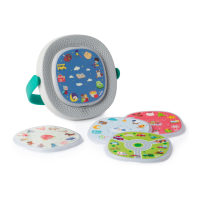
• Place a disc on the front of the player, you will hear the title of
the disc, then tap an image to play. See FIG. 6
• To automatically play all songs/stories, press any image for 3
seconds.
CHALLENGE INCLUDED!
• TIMIO’s vocabulary discs include questions. Hold the ‘?’ icon
for 3 seconds to switch the questions ON or OFF. See FIG. 7
• When the questions are turned ON and no image is pressed
for a period of 2 seconds, the player will automatically challenge
the user with a question. E.g. “Find the color red”. Answer by
tapping the correct image.
POWER OFF
• To stop playing simply remove the disc.
• When no user activity is detected for a period of 5 minutes, the
player goes into sleep mode to save battery power.


 To Next Page