EasyManua.ls Logo

Timotion TWD1 - User Manual

Timotion TWD1
30 pages
Print Icon
To Next Page IconTo Next Page
Loading...
VERSION 1
USER MANUAL
Mobile App for
Height Adjustable Desks
TWD1
Question and Answer IconNeed help?

Do you have a question about the Timotion TWD1 and is the answer not in the manual?

Summary

User Manual Preface

Safety Instructions for Height Adjustable Desks

Abnormal Operation Warning

Desk moves automatically due to accidental two-finger input on the screen.

Out of Range Finger Position Reminder

Alerts users if finger position is outside the button range for proper response.

Bluetooth Device Options for Desk Control

Built-In Bluetooth Control Boxes

Describes TC15P and TC15S control boxes with integrated Bluetooth.

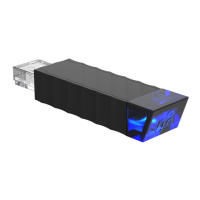
TWD1 Wireless Bluetooth Dongle

Details the TWD1 dongle for remote desk control via the app.

Download the STAND UP PLS Mobile App

Pairing Bluetooth and App Setup

App Introduction and Onboarding

Overview of app features: desk control and calorie tracking.

Register User Profile

Input personal details for calorie consumption tracking and settings.

Bluetooth Connection Guide

Step-by-step instructions to connect the mobile device to the desk.

Program Settings Selection

Choose from preset programs or create custom user programs.

Mobile App Operation and Controls

Understanding App Buttons and Display

Identifies key interface elements: current height, settings, memory positions, and directional controls.

Setting and Using Memory Positions

Tracking Sitting and Standing History

App Settings and Configurations

Disconnecting from the Desk

Procedure to disconnect the mobile device from the height adjustable desk.

Configuring Alert Notifications

Enables or disables audible toning sounds to remind users to stand.

Resetting Tracking Data

Option to delete all recorded sitting and standing history data.

Changing User Programs

Instructions for switching between different user-defined programs.

Modifying User Profile

Guide to updating personal information in the user profile.

Resetting the Desk to Default

Resets the desk to its original factory settings, lowering it and emitting a beep.

Troubleshooting: Understanding Error Codes

Disposal and Recycling Guidance

FCC and IC Compliance Notes

Summary

User Manual Preface

Safety Instructions for Height Adjustable Desks

Abnormal Operation Warning

Desk moves automatically due to accidental two-finger input on the screen.

Out of Range Finger Position Reminder

Alerts users if finger position is outside the button range for proper response.

Bluetooth Device Options for Desk Control

Built-In Bluetooth Control Boxes

Describes TC15P and TC15S control boxes with integrated Bluetooth.

TWD1 Wireless Bluetooth Dongle

Details the TWD1 dongle for remote desk control via the app.

Download the STAND UP PLS Mobile App

Pairing Bluetooth and App Setup

App Introduction and Onboarding

Overview of app features: desk control and calorie tracking.

Register User Profile

Input personal details for calorie consumption tracking and settings.

Bluetooth Connection Guide

Step-by-step instructions to connect the mobile device to the desk.

Program Settings Selection

Choose from preset programs or create custom user programs.

Mobile App Operation and Controls

Understanding App Buttons and Display

Identifies key interface elements: current height, settings, memory positions, and directional controls.

Setting and Using Memory Positions

Tracking Sitting and Standing History

App Settings and Configurations

Disconnecting from the Desk

Procedure to disconnect the mobile device from the height adjustable desk.

Configuring Alert Notifications

Enables or disables audible toning sounds to remind users to stand.

Resetting Tracking Data

Option to delete all recorded sitting and standing history data.

Changing User Programs

Instructions for switching between different user-defined programs.

Modifying User Profile

Guide to updating personal information in the user profile.

Resetting the Desk to Default

Resets the desk to its original factory settings, lowering it and emitting a beep.

Troubleshooting: Understanding Error Codes

Disposal and Recycling Guidance

FCC and IC Compliance Notes

Timotion TWD1 Specifications

General IconGeneral
BrandTimotion
ModelTWD1
CategoryWireless Router
LanguageEnglish