PROGRESSOR
The progressor is a bluetooth load sensor that can be used with any
free hanging training grip and a smartphone to get accurate load
readings.
The progressor can e.g. be used to measure endurance, peak force or
rate of force development. By testing your strength on a regular basis,
you can see how you progress.
Load cell
CL5B-A/150KG
Sampling rate, low / high
80 Hz
Safe overload
120% FS
Limit overload
150% FS
Hysteresis
0.1 % FS
Temperature range
0 - 30°C
Temperature effect on span
0.1 % FS / 10°C
Temperature effect on zero
0.1 % FS / 10°C
Temperature effect on span
0.1 % FS / 10°C
Battery CR 2032
Max load
150 kg
Instructions
Install the Progressor app on your
phone.
Enable Bluetooth, and wake up the
Progressor by clicking the button.
The Progressor is not supposed to be
paired with the phone. The connection
will be established directly from the
app.
The progressor will go to sleep after
ten minutes of inactivity.
Hang the Progressor
Attach the progressor between the
anchor point and your training grip
using carabiners.
Battery change
Use a small screwdriver or the tip of a fork to gently pull out the
battery tray. The battery must be placed in the battery holder with
plus side facing up. Make sure to use e a high-quality CR2032 battery
from a well-known brand.
NB! Installing the battery wrong way may cause permanent damage to
the device!
Any user of this equipment is personally responsible for learning its correct
usage. The user assumes all risks, and unconditionally accepts full
responsibility for any damage and/or injuries that may result from using this
equipment. BLIMS AS (manufacturer) and retailers deny any liability in the
event of misuse and improper use or handling. Do not leave the device
unattended to avoid others from misusing the device. The product is
designed to withstand loads generated by the weight of a human body. The
product might break if load limit is exceeded, or if the device is misused or
not properly maintained.
This user instruction explains some of the correct and incorrect ways to use
the equipment. Remember that there are more incorrect ways to use the
equipment than what is shown here. Seek qualified instruction if you are
unsure on how to use this equipment. Any and all disputes are governed by
Norwegian laws and Trondheim tingrett is the proper legal venue.
Care and maintenance
Keep in mind that everything wears over time. Even the best
materials will at some point become subject to failure. Before and
after each use, check for damages to the equipment and anchor
points. If there is any concern about the condition of this product, stop
using it immediately.
Keep your Progressor in a dry environment and not exposed to direct
sunlight or heat. Avoid all contact with chemicals which can destroy
the product. Do not immerse in water. Cleaning is best performed by
lightly sanding the wood enclosure with sandpaper.
Certifications
The progressor uses a Rigado BMD-300 Bluetooth module which is
CE and FCC certified, FCC ID: 2AA9804.
WARNING
READ AND UNDERSTAND BEFORE USE!
Questions or comments?
Contact us at info@tindeq.com

 Need help?
 General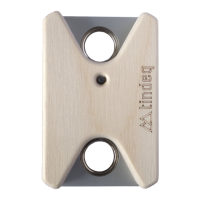

 To Next Page