4. Cong / Network
Cong / Network
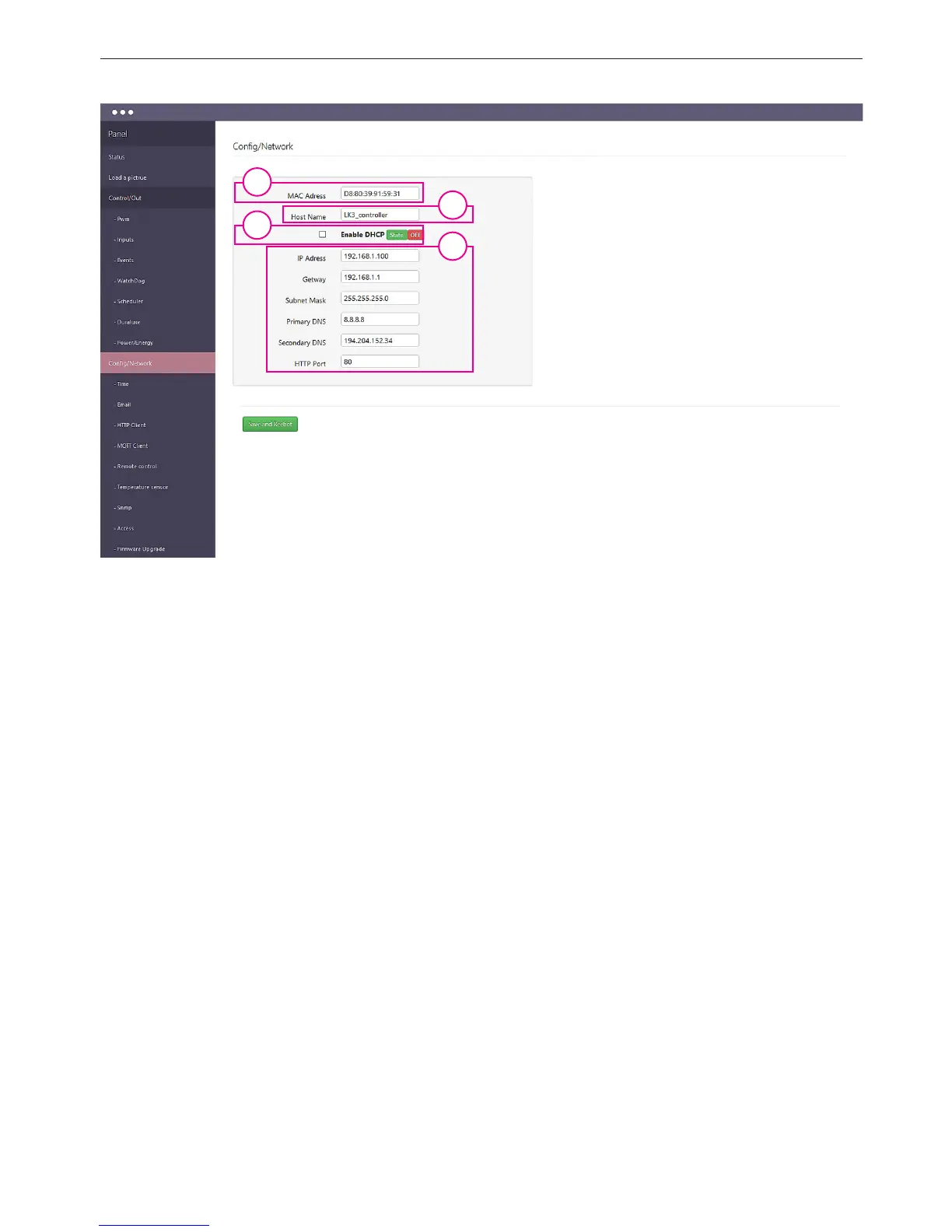
1. MAC Adress - eld display its value (Each Lan Controller has a unique address, it can be
identied in case of connection of several devices).
2. Host Name - a place to put a personalized Lan Controller name.
3. Enable DHCP - to activate select the checkbox, displays the status (OFF / ON).
4. Panel network settings - if DHCP [3] is not activated (OFF), allows you to enter the ne-
twork settings in which it is to operate Lan Controller. With the DHCP displays the downlo-
aded conguration settings.
1
3
2
4


 To Next Page