EasyManua.ls Logo

TIPTEL ergoVoice A2 - User Manual

TIPTEL ergoVoice A2
160 pages
Go to English
Print Icon
To Next Page IconTo Next Page
Loading...
tiptel
Bedienungsanleitung
Mode d‘emploi
User Guide
ErgonomieTelefon
Téléphone ergonomique
Ergonomic telephone
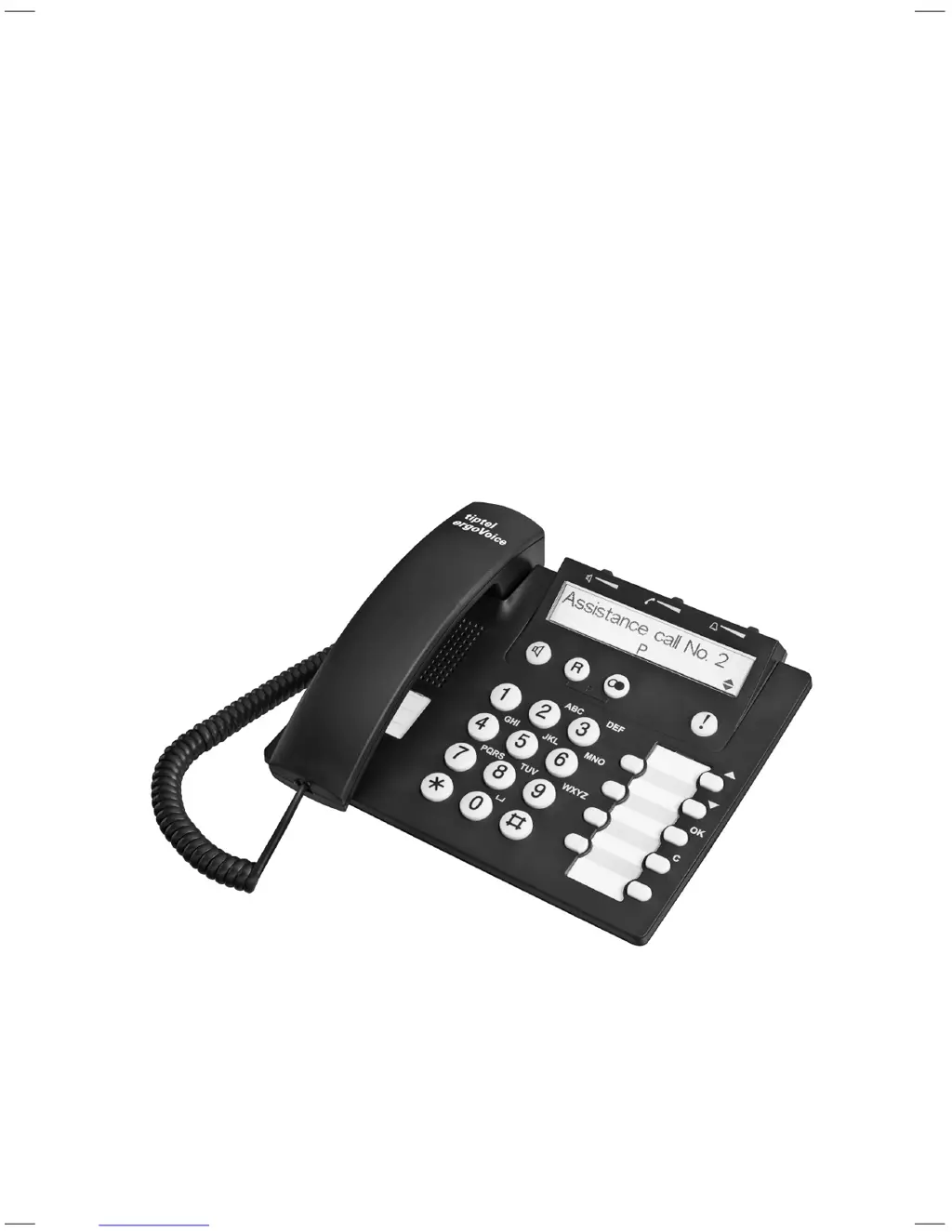
tiptel ergoVoice A2
(D/A/CH)
(F/B/CH)
(engl.)

Table of Contents

Questions and Answers

  • S
    Sara YorkAug 16, 2025
    Why is the caller ID not showing on my TIPTEL ergoVoice A2 IP Phone?
    • J
      Jose SmithAug 16, 2025
      If the transferred incoming call number is not shown on your TIPTEL IP Phone, ensure the AC adapter is correctly plugged in. If the problem persists, contact your telephone network provider. Note that in some cases, there might be no solution available if the display of telephone numbers is suppressed by the provider.
  • R
    Rhonda ConwayAug 19, 2025
    How to fix no dial tone on my TIPTEL ergoVoice A2?
    • P
      Phillip TaylorAug 19, 2025
      If you do not hear a dial tone after picking up the handset of your TIPTEL IP Phone, check that the telephone connecting cable, handset cable, and AC adapter are all correctly connected. You can also verify telephone access using another telephone or contact your telephone network provider for assistance.
  • E
    eturnerAug 21, 2025
    Why is there no display light on my TIPTEL ergoVoice A2?
    • A
      Alec ThomasAug 22, 2025
      If there is no illumination of the display, loudspeaker, and assistance call key on your TIPTEL IP Phone, ensure the AC adapter is correctly plugged in and that there is no power failure.
  • B
    Benjamin MeyerAug 25, 2025
    What to do if dialing process is interrupted on TIPTEL ergoVoice A2?
    • T
      Taylor AdamsAug 26, 2025
      If you're experiencing interruptions during the dialing process on your TIPTEL IP Phone, it may be due to an active dialing restriction. Deactivate the dialing restriction to resolve this issue.
  • S
    Sarah WallaceAug 28, 2025
    How to enable ringing on TIPTEL ergoVoice A2 IP Phone?
    • M
      Marie JacksonAug 28, 2025
      If you are not receiving any ringing signal for incoming calls on your TIPTEL IP Phone, the ringing signal may be deactivated. Activate the ringing signal to resolve this.
  • C
    campbellnathanAug 31, 2025
    Why offline call preparation is not working on TIPTEL ergoVoice A2?
    • A
      Amanda ThomasAug 31, 2025
      If dialing with offline call preparation does not work on your TIPTEL IP Phone, ensure that the AC adapter is properly plugged in and there is no power failure.
  • P
    petersonvanessaSep 3, 2025
    Why is automatic redial not working on my TIPTEL ergoVoice A2 IP Phone?
    • K
      karen02Sep 3, 2025
      If automatic redialing is not working on your TIPTEL IP Phone, ensure that the AC adapter is correctly plugged in and that there is no power failure.
  • G
    Gail ThomasSep 6, 2025
    What to do if assistance call key is not working on TIPTEL IP Phone?
    • M
      Mitchell GillespieSep 6, 2025
      If, after pressing the assistance call key on your TIPTEL IP Phone, no number is dialed, it may be because no assistance number is stored or the assistance call mode is deactivated. Store assistance numbers and set the assistance call mode to resolve this.
  • D
    Diane WyattSep 9, 2025
    Why is my TIPTEL IP Phone dialing the wrong line from memory on PABX?
    • M
      Megan NicholsSep 9, 2025
      If you are connected to a PABX and experience issues with line selection after dialing from memory (e.g., speed dialing) on your TIPTEL IP Phone, the exchange identification code may not be entered, or the dialing pause may be too short. Enter the exchange identification code and program a longer dialing pause to resolve this.
  • A
    anne44Sep 12, 2025
    What to do if recall key is not working on TIPTEL ergoVoice A2 IP Phone?
    • M
      Michael LiSep 12, 2025
      If the recall key is without function on your TIPTEL IP Phone when connected to a PABX, the recall key function may not be set correctly. Change the recall key function to resolve this.

Summary

Safety Information

Assistance Call Safety Warning

Warning about the reliability of the assistance call function in critical situations.

Making and Receiving Calls

Speed and Abbreviated Dialling

Storing and using speed dialling numbers and abbreviated numbers.

Assistance Call Functionality

Storing and Activating Assistance Calls

Saving assistance numbers and enabling/disabling the call mode.

Initiating and Managing Assistance Calls

Sending an assistance call, finishing it, and interrupting it if needed.

Security and Restrictions

PIN and Dialling Restrictions

Changing PIN and understanding number/full dialling restrictions.

Storing Restricted Numbers

Saving numbers to be restricted and activating/deactivating restriction modes.

Emergency Numbers

Saving country-specific police/fire service numbers for emergencies.

PABX Connection and Configuration

Recall Key and EIC Programming

Setting flash times and Exchange Identification Codes for PABX calls.

Appendix and Support

Troubleshooting and Menu Guide

Problem-solving table and an overview of menu functions.

TIPTEL ergoVoice A2 Specifications

General IconGeneral
TypeIP Phone
ConnectivityEthernet
Number of Lines2
ProtocolsSIP
WirelessNo
Audio QualityHD Audio
Power SupplyPower over Ethernet (PoE) or external power adapter
FeaturesCall transfer, call hold, call waiting, redial, mute
Ethernet Ports2 (10/100 Mbps)
Lines2 SIP lines
Supported CodecsG.711, G.722, G.729, G.726
SpeakerphoneYes

Related product manuals