Tiptel.com GmbH Business Solutions – Halskestraße 1 – 40880 Ratingen – Deutschland – www.tiptel.com
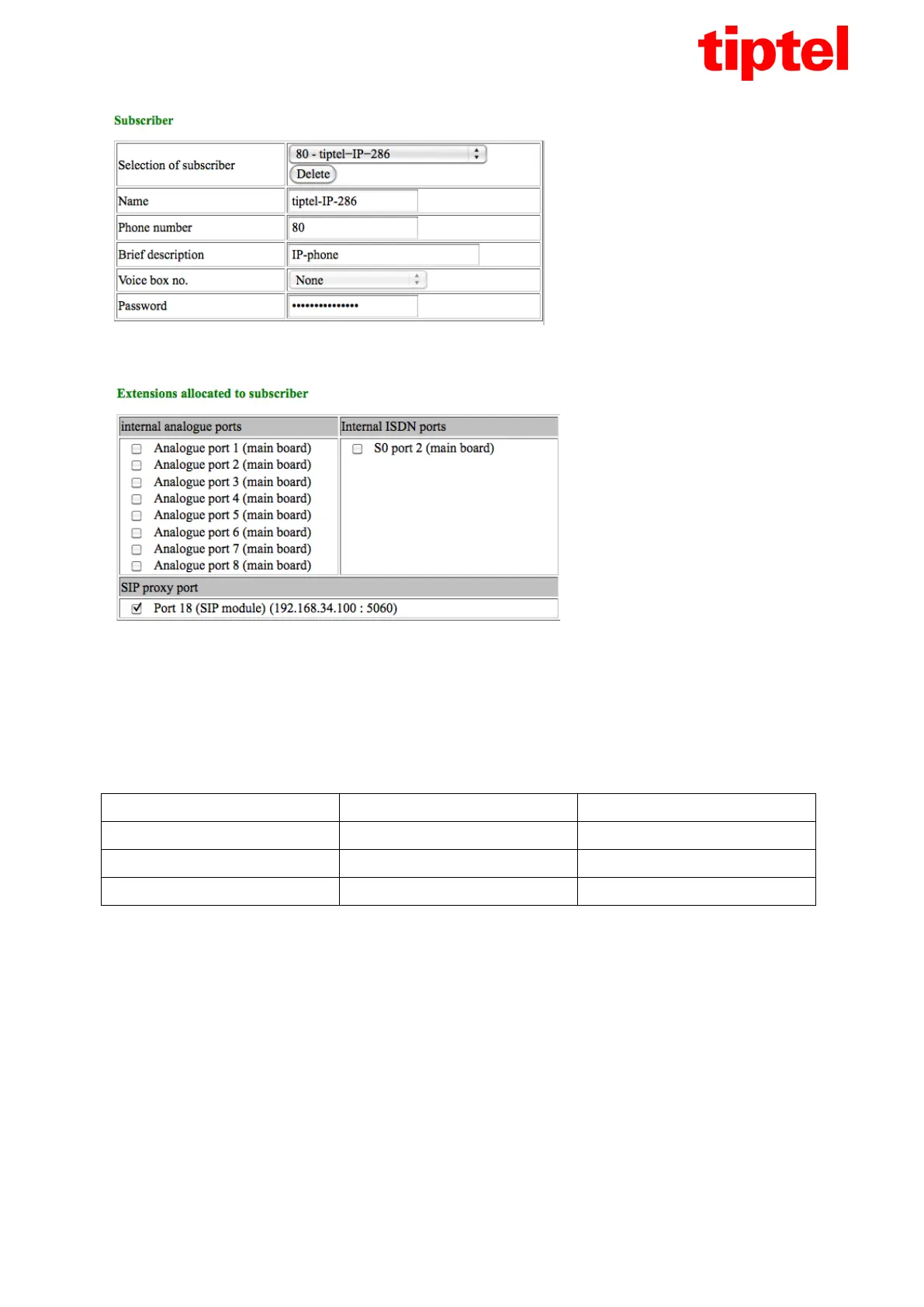
In section "Subscriber" the internal telephone number and the password for the subscriber must be
set. Both can be chosen freely. For connecting an IP telephone a password is mandatory.
In section "Extensions allocated to subscriber" select the port under "SIP proxy port".
All other subscriber configuration is carried out as per the telephone systems manual and is identical
to the configuration of analogue or ISDN telephones.
5. Setting up the IP telephone
At the IP telephone enter the code matching the desired language in the below tabel and then confirm
this code by pressing OK.
Then the telephone will download an already existing configuration for use as system telephone with
tiptel.com or tiptel.comPact systems from the Tiptel server.
Once the download has been completed the telephone will initialize and start the wizard for setting up
an account.
Here please enter following:
Authentif.: Telephone number subscriber
Account: Telephone number subscriber
Password: Password subscriber
SIP server: IP address of telephone system
Proxy server: blank
and then confirm with "Save".



 To Next Page