
 Need help?
Do you have a question about the Tiso Optimus RB392 Series and is the answer not in the manual?
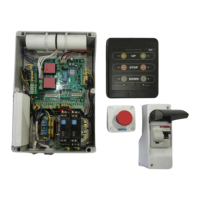
Explains the purpose and operation of the Boom Barrier's control units and electric parts.
Details the versatile PCB349 controller, including its inputs and outputs.
Lists and describes the individual components found on the PCB349 controller board.
Details the purpose and connections of terminal contacts for key controller blocks like X1, X2, and X3.
Details the inputs and sensors for Road Blocker 1.
Details the inputs and sensors for Road Blocker 2.
Details the actuating and additional devices for Road Blocker 1 outputs.
Details the actuating and additional devices for Road Blocker 2 outputs.
Describes the RS485 interface for remote control and sensors.
Explains the function of configuration switches SW1 through SW8 for operation modes.
Describes the status indicators LED1 through LED8 for operation modes and parameters.
Explains how to adjust the TIME1 regulator for raising/lowering timeouts.
Covers the essential steps for connecting the Boom Barrier and preparing it for initial operation.
Explains how to adjust limit switches and magnets for correct Boom Barrier position sensing.
Lists common malfunctions, their possible causes, and recommended actions for troubleshooting.
Details the operation, buttons, and indicators of the RB111 wire remote control panel.
Explains the wireless control system using Satel RE-2K and its remote control pendants.
Describes the installation, connection, and operational principles of protective induction loops.
Covers control methods via stations, panels, and pendants, explaining button functions.
Details the function and importance of the emergency stop button and the ON/OFF circuit breaker.
Outlines the annual maintenance tasks, including component inspection and function checks.
Provides a list of components with specified equivalents for replacement during failures.
Presents a comprehensive diagram illustrating the wiring of the Boom Barrier's main components.
Shows wiring configurations for the Boom Barrier when equipped with additional optional devices.
 General
| Model | Optimus RB392 Series |
|---|---|
| Category | Automatic Barriers |
| Operating Voltage | 230V AC |
| Motor Power | 90W |
| Protection Level | IP54 |
| Material | Steel with powder coating |
| Boom Length | 3 to 6 meters |
| Opening/Closing Time | 3 to 6 seconds |
| Control Options | Remote control, push button, loop detector |
| Safety Features | Photocells |

 To Next Page