HOW TO USE THE WATCH
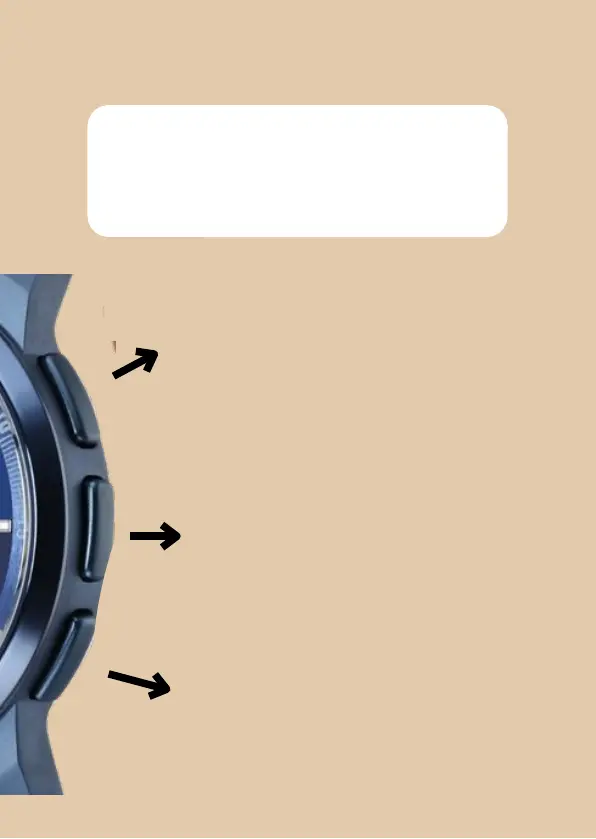
The 3 push buttons on the right
side of the watch enable a
seamless user experience.
Button
1
(at 2H, also a hotkey) can be used
to scroll up in the displayed menu. (The
Hotkey
i
s
t
r
i
gg
e
r
ed
b
y
p
r
e
ss
i
n
g
K
E
Y
-
1
t
w
i
c
e
from any screen.)
Button “A (middle button) is to discover
and
find different features on the watch.
(Mode/Function Changing Key, if long
pressed, Compass Calibration screen is
displayed and if long pressed in weather,
hour and Minute Calibration screen is
displayed.)
Button 2 (at 4H) can be used to scroll down
in the displayed menu. (By long pressing the
key, Information about battery percentage,
connected status and airplane mode is
displayed on the watch.)


 To Next Page