(GB) Instructions
Inserting the batter-
ies
Open the battery com-
partment on the under-
side of the remote.. Then
insert 3 AAA batteries.
Make sure that the polar-
ity is correct: the "+" and
"-" markings on the bat-
teries and in the compart-
ment must match.
- To check functionality,
press any button. If
everything is correct, light will be visible when a
button is pressed.
Adapting to Appliances
In order to control your appliances you must ad-
apt or set the remote control to them. There are
three ways of doing so:
Direct control code entry
Example: Setting to control a Philips televi-
sion set:
1 The attached list gives, for example, the
Philips Code 0099.
-Please make sure you
have selected the code
from correct list for tele-
vision sets (TV).
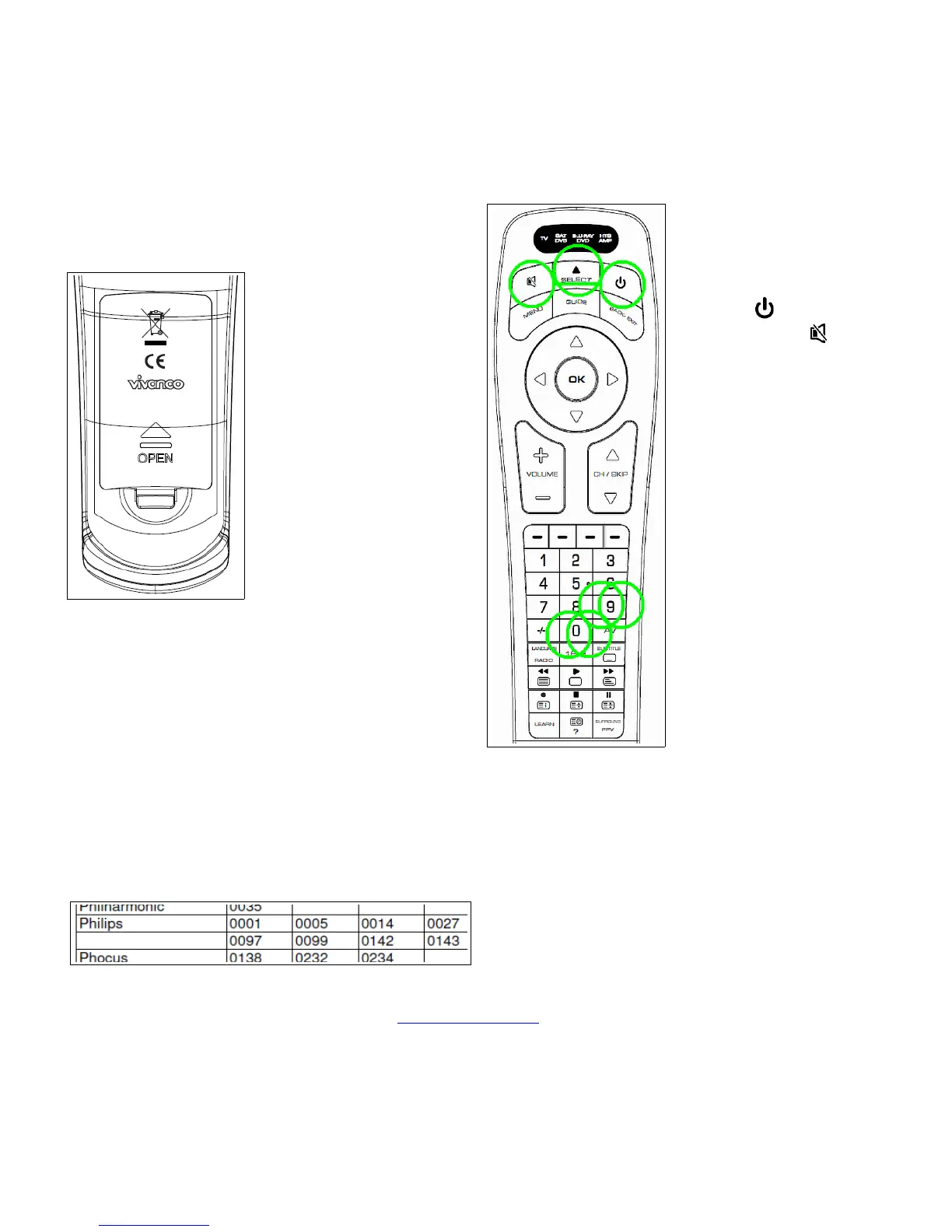
2 Press (power) but-
ton and then (mute)
button simultaneously
until a device lamp
(LED) lights con-
stantly.
3 Press SELECT button
as often until e.g. TV
led is on.
- If you don´t press SE-
LECT the led indicates
the device to be set.
4 Then press number
buttons (e.g. 0 0 9 9)
in sequence.
5 Once the numbers
have been entered the
lamp goes out and the
remote control is ready
to control your appli-
ance.
6 Finally, test the control code setting by trying
to control, in this example, your television set.
If it does not work at all or not correctly try a
different code from the list or the code search
(see below).
7 To set the remote control for other appli-
ances, proceed in the same way. Instead of
the TV appliance select another device e.g.
Vivanco GmbH, D-22926 Ahrensburg, E-Mail: hotline@vivanco.de, Helpline: +49 (0) 4102 231135
2


 To Next Page