
 Need help?
Do you have a question about the TiTLEY Scientific CHORUS and is the answer not in the manual?
Overview of the Chorus recorder's key features, including ease of use and durability.
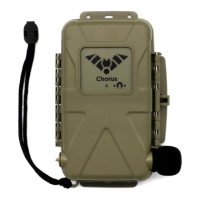
Details the physical components and features visible on the outside of the Chorus recorder.
Explains the components located inside the Chorus recorder's casing.
Describes the main screen of the Chorus, showing status, date, time, and storage information.
Details specifications for the acoustic microphone, including wind sock and frequency response.
Details specifications for the ultrasonic microphone, including weather resistance and frequency response.
Discusses battery types, life estimates, and factors affecting performance like temperature.
Details storage needs based on sample rate and file type for ultrasonic and acoustic recordings.
Explains how to connect the Chorus to a computer via USB for firmware updates.
Provides a detailed, numbered guide for setting up and deploying the Chorus recorder.
Instructions on how to power the device on, off, or put it into sleep mode.
Details the process for updating the Chorus recorder's firmware using an SD card.
Configures the recorder for nocturnal monitoring, active before sunset and after sunrise.
Sets the recorder for crepuscular activity, active around sunset and sunrise periods.
Optimizes recording for diurnal animals, active before sunrise and after sunset.
Records sound continuously, regardless of trigger events, starting immediately.
Allows custom recording schedules created via Anabat Insight software.
Explains how to cycle through and select the desired recording mode using the Mode button.
Guides selection of sample rates and file types for acoustic and ultrasonic recordings.
Details how to choose microphones based on the selected sample rate for mono or stereo recording.
Covers settings for acoustic recordings, including gain and maximum file time.
Configures how the recorder captures sound, either continuously or when triggered.
Adjusts the threshold for triggering recordings based on sound loudness.
Sets the lowest frequency required to trigger a recording.
Sets the highest frequency allowed to trigger a recording.
Defines the minimum duration a sound must last to trigger a recording.
Sets the minimum duration the recorder continues after a trigger event.
Sets the maximum length for individual recorded files.
Attenuates signals below 10 kHz to reduce noise and extend battery life.
Adjusts data density for Zero Crossing recordings, affecting file size and resolution.
Enables logging of GPS points per second to create a track file (GPX).
Displays GPS information like location, altitude, satellites, and fix accuracy.
Configures prefixes for recorded filenames, using serial number or recording type.
Manages time zone, time format, and checks for available recording schedules.
Restores microphone and clock settings to their original factory defaults.
Displays serial number, firmware version, battery voltage, and temperature.
Guides on how to test microphones and the recorder's functionality before deployment.
Troubleshooting common problems related to the memory card, such as insertion or corruption.
Identifies and resolves problems related to GPS signal acquisition and fixing.
Diagnoses and resolves problems with microphone connections or compatibility.
Addresses issues with time zone settings or missing schedules for scheduled recording.
Covers troubleshooting for low battery warnings for the main and clock batteries.
Advises on how to protect the recorder from rain, moisture, and extreme temperatures.
Provides guidance on optimal placement and mounting of the recorder for best signal reception.
Explains how to equalize trigger sensitivity and test acoustic microphones.
Details how to properly retrieve the recorder, handle temperature changes, and safely remove the SD card.
Step-by-step instructions for transferring recorded files from the SD card to a computer.
Explains the naming convention and structure of recorded files and log files.
Lists the capabilities of the Anabat Insight software for analyzing recordings.
Guides on creating custom recording schedules using the Anabat Insight Scheduler Tool.
Details the various settings that can be configured for each recording task within a schedule.
Instructions on how to check saved schedules on the Chorus recorder after loading them from an SD card.
Explains the metadata saved in GUANO format, including timestamp, settings, and custom data.
Provides steps for setting up the Chorus for ultrasonic bat recording.
Guides on configuring the Chorus for recording audible sounds like birds or frogs.
Addresses issues when the Check LED flashes, indicating a deployment problem.
Explains that simultaneous recording is not possible, but scheduled multi-type recording is.
Clarifies terminology for different recording configurations and their use with the Chorus.
Compares the two ultrasonic recording formats, detailing their advantages and disadvantages.
Discusses factors influencing detection distance, such as call characteristics and environmental conditions.
Directs users to the Titley Scientific website for additional product information and support.
 General
| Operating Temperature | -40°C to +85°C |
|---|---|
| Light Range | Sensor Dependent |
| CO2 Range | Sensor Dependent |
| Accuracy | Sensor Dependent |
| Resolution (Sensor) | Sensor Dependent |

 To Next Page