STE-8001 and STE-8201 sensors Commissioning functions
Advanced options
28
Advanced
options
The advanced options set up passwords and special features in the controller.
Setting the advance options requires entering the Level 2 password which is
described in the topic Enter the commissioning mode
on page 16.
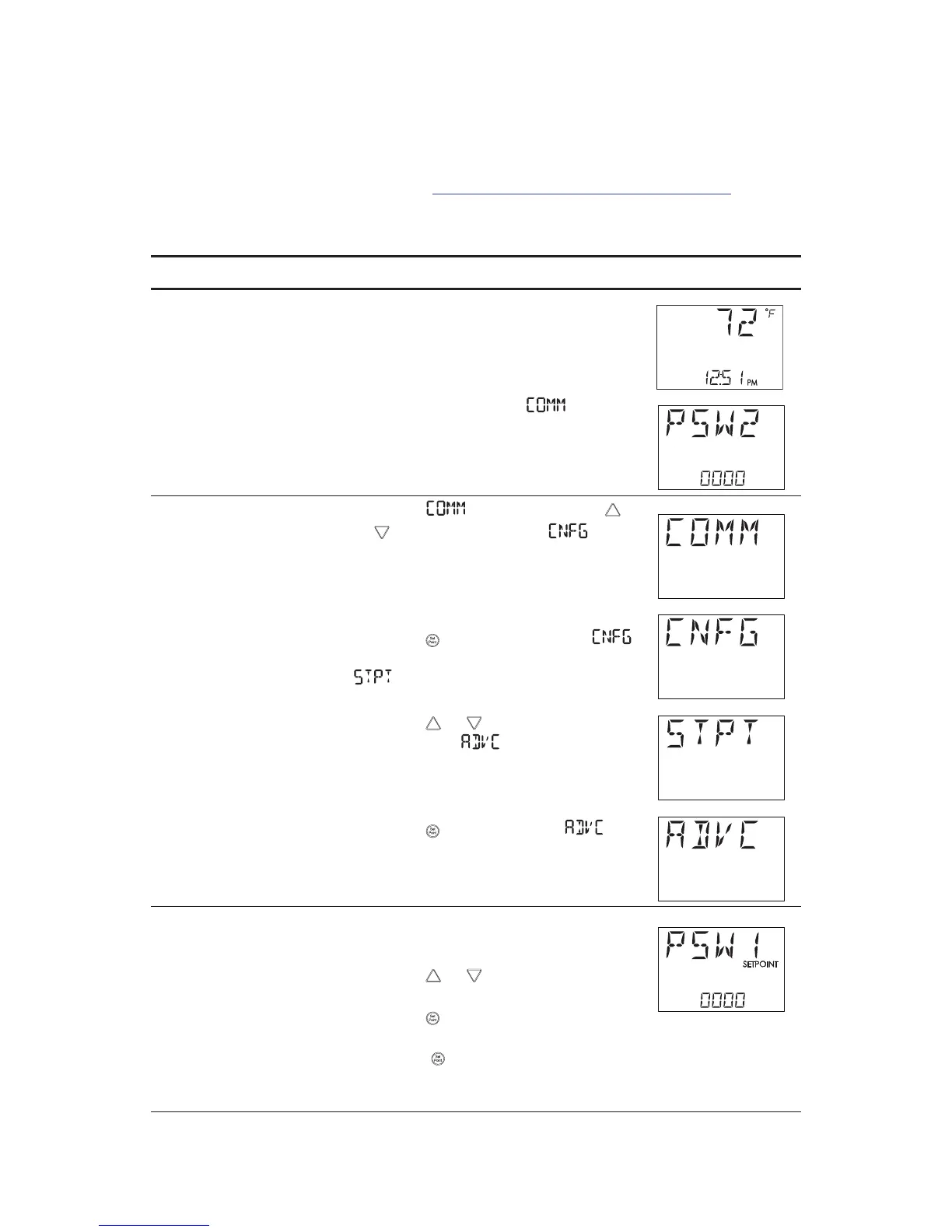
Procedure to set the advanced options
Procedure Steps STE display
Starting display 1. Start at the temperature display.
2. Enter the Level 2 password. The
display changes to the
.
Select the
advanced display.
1. From the
display, press the
or buttons to show the
display.
2. Press the button to select the
options. The display changes to
.
3. Press the or buttons to change
the display to
.
4. Press the button to select
.
Enter a new
Level 1 password
Note: Entering four zeros (0000) removes
the password.
1. Press the or buttons to change
the first digit.
2. Press the button to select the next
digit. Repeat for all four digits.
3. When the button is pressed for the
last digit, the new password is saved
and the display advances.



 To Next Page