Need help?
Do you have a question about the TiVo Bolt and is the answer not in the manual?
Introduces the TiVo Central screen as the starting point for device operations and navigation.
Explains how to access and manage recorded shows and streaming videos in the My Shows list.
Details how OnePass searches replace Season Pass for gathering series episodes from various sources.
Describes the SkipMode feature for skipping commercial breaks in recorded shows.
Explains how to watch shows 30% faster while still hearing dialogue.
Covers finding and watching movies and episodes available for streaming.
Details how to watch live television and use TrickPlay features.
Introduces the TiVo app for streaming or downloading recordings to mobile devices.
Guide on navigating program guides to find and select shows.
Methods for searching, browsing, and discovering TV shows and movies.
Instructions for manually scheduling recordings by date, time, or channel.
Steps to create custom searches for shows based on various criteria.
Overview of managing scheduled recordings and OnePass series.
Customizing default recording and OnePass preferences.
How to use the status bar for navigation during playback.
Viewing show details, ratings, and status via the info banner.
Instructions for streaming or transferring recordings between TiVo devices.
Accessing and using on-demand movie and TV show services.
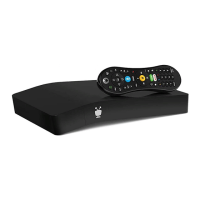
Using the TiVo BOLT for media playback and app access.
Accessing account, system information, and troubleshooting guides.
Setting up and managing content restrictions and PINs.
Customizing closed captioning, video window, and other user settings.
Managing channel lists, favorite channels, and video providers.
Adjusting audio language, Dolby Digital, sound effects, and aspect ratio.
Configuring wired or wireless network connections for TiVo service.
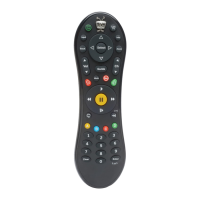
Setting up the remote control, CableCARD, and external devices.
Accessing and reading system notifications and alerts from TiVo.
Managing power saving modes and device standby settings.
Resources for finding answers and contacting customer support.
Troubleshooting initial setup and welcome screen issues.
Guidance on ensuring accurate channel selection from your provider.
Explains the role of the TiVo service and its necessity for device operation.
Troubleshooting common issues with OnePass search functionality.
Information on why SkipMode may not be available for certain shows.
Troubleshooting remote control connectivity and functionality.
Resolving issues with accessing specific channels or missing programming.
Addressing problems with finding or viewing content in My Shows.
Troubleshooting issues related to live TV viewing.
Resolving conflicts and issues related to recording programming.
Steps to troubleshoot network connectivity to the TiVo service.
Resolving picture quality, aspect ratio, and audio sync problems.
Troubleshooting issues with parental control settings not working.
Instructions on how to restart the TiVo DVR for troubleshooting.
Essential safety precautions and warnings for operating the appliance.
Information regarding FCC compliance, interference, and radiation exposure.
Identification and description of all physical ports and connectors on the device.
Technical details including video/audio outputs, RF input, expansion ports, and dimensions.
 General
| Storage Options | 500GB, 1TB, 3TB |
|---|---|
| DVR | Yes |
| Tuners | 4 |
| Resolution | 4K Ultra HD |
| Connectivity | Wi-Fi, Ethernet |
| Outputs | HDMI |
| Audio Support | Dolby Digital Plus |
| Ports | HDMI, Ethernet, USB |
| Streaming Services | Netflix, Amazon Prime Video, Hulu, YouTube |
| Voice Control | Yes (via Alexa, Google Assistant) |
| Operating System | TiVo OS |

 To Next Page